
On this page
Before you start
Step 1 of 4
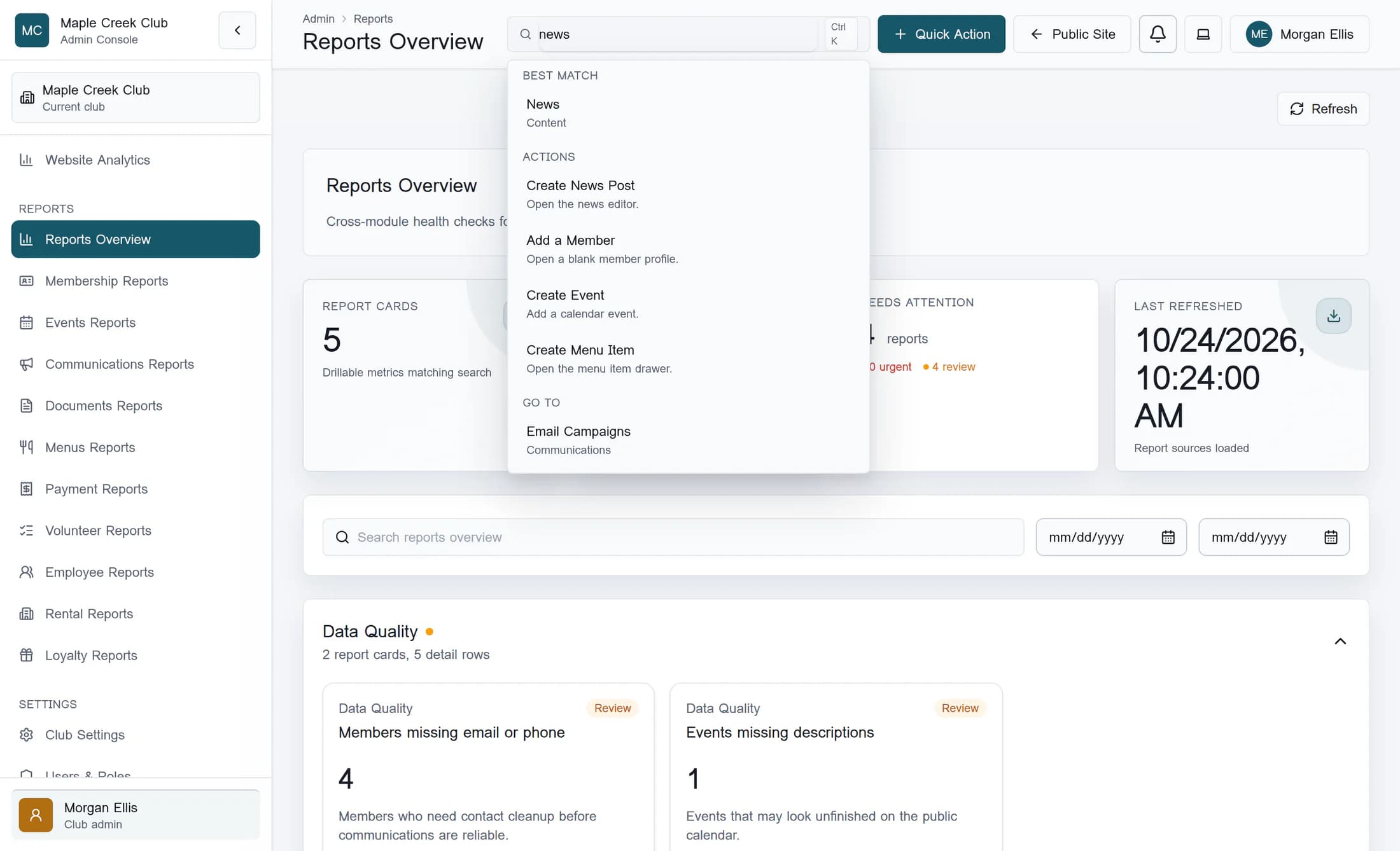
Open the News page
Enter news in Search admin, then select the News page result. Confirm that the page shows News posts.
Step 2 of 4
Find the story and set its flags
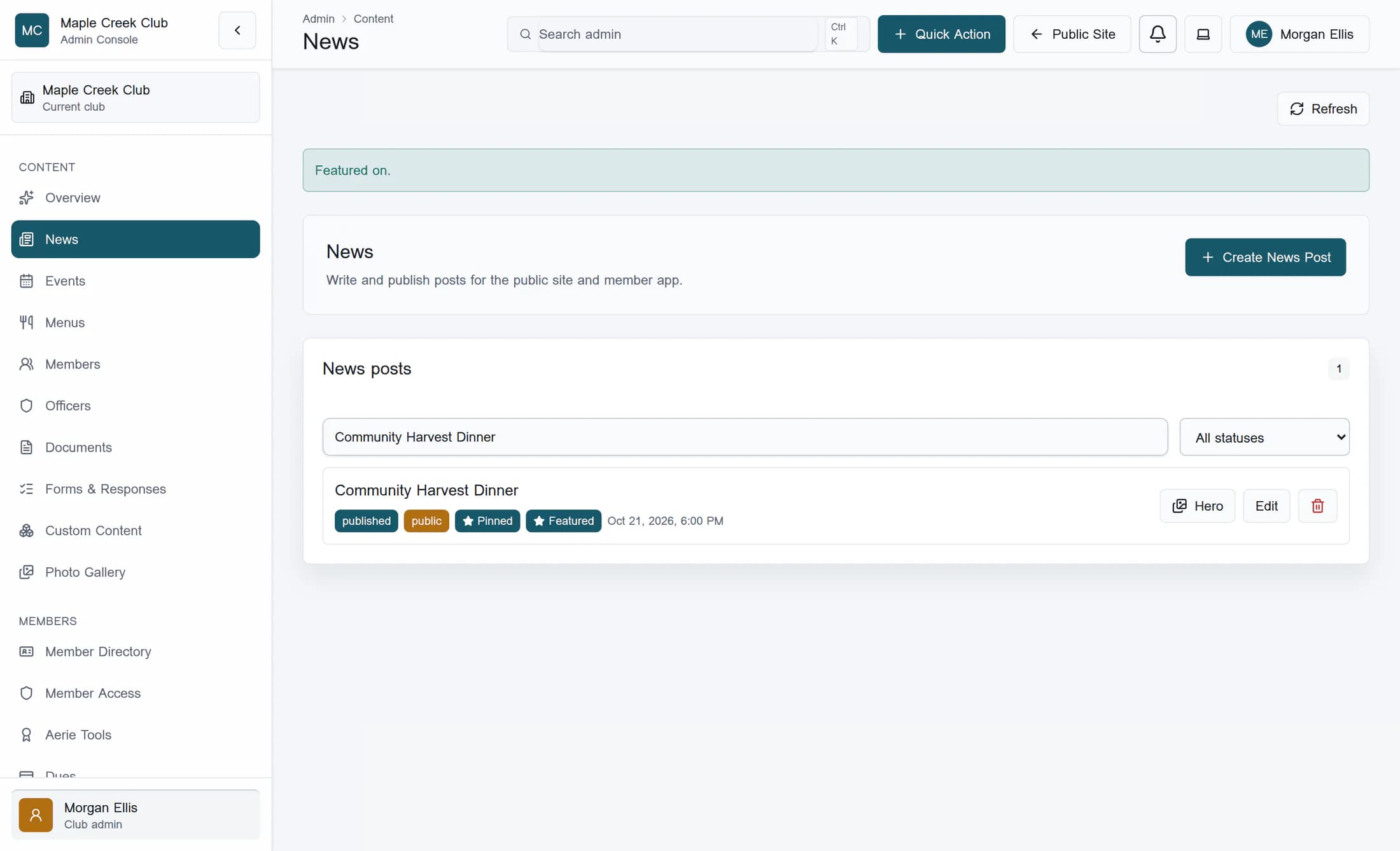
Use Search news to find the intended story, then check its title, audience and status. Select Pinned or Featured on that story’s row to change the flag: an unselected control turns it on, and a selected control turns it off. The flags work independently, so you can use either or both; wait for each result before making another change.
Step 3 of 4
Confirm the same story changed
Wait for the success notice, then check the selected styling on the same story’s Pinned or Featured control. If an error appears or the flag does not change, treat the update as unsuccessful and ask your club administrator to check access. These row controls save directly; they do not open a confirmation or require a separate save or publish action.
What the flags change
- On the public news list, pinned posts come first, followed by the featured preference, then publication date from newest to oldest. A featured post without a pin follows pinned posts.
- You can pin more than one post. Pinning a new story does not remove another story’s pin, and you can turn either flag off later with the same row control.
- The admin list stays in publication-date order. A story does not have to move within that list for its flag to have saved.
- Flags do not change the story’s content, audience, publication status or date. They do not send a push notification, share to Facebook or add the story to the homepage hero.
Step 4 of 4
Check the published news list
After a successful update, check your club’s public News page. Only public, published posts whose publication time has arrived are eligible there; pinning or featuring does not reveal a draft, members-only, future or archived post. The lead item, badges and number of visible cards depend on the site’s news layout, so a flag does not guarantee a particular hero or carousel position.
If access differs between posts
Summary
Find the right story, change its Pinned or Featured control, and confirm the saved flag on that same row. Check public placement separately from publication status and audience.
