
On this page
- Read an existing post’s settings
- Find the post you want to understand
- Publication, audience, and time work together
- A quiet update and a new notification are different
- Publication does not promise a message
- Previously sent notices are treated differently
- A saved article can coexist with a failed notification
- Scheduled push depends on the background service
- Facebook has a separate audience boundary
- Keep the three outcomes separate
This guide explains the Classic news editor in the browser by inspecting an existing post without changing or saving it. A newer editor layout may look different. Illustrations are reconstructed from application source with fictional club details and posts; they do not show a live club, verified recipient delivery, a native app, or Facebook.
Read an existing post’s settings
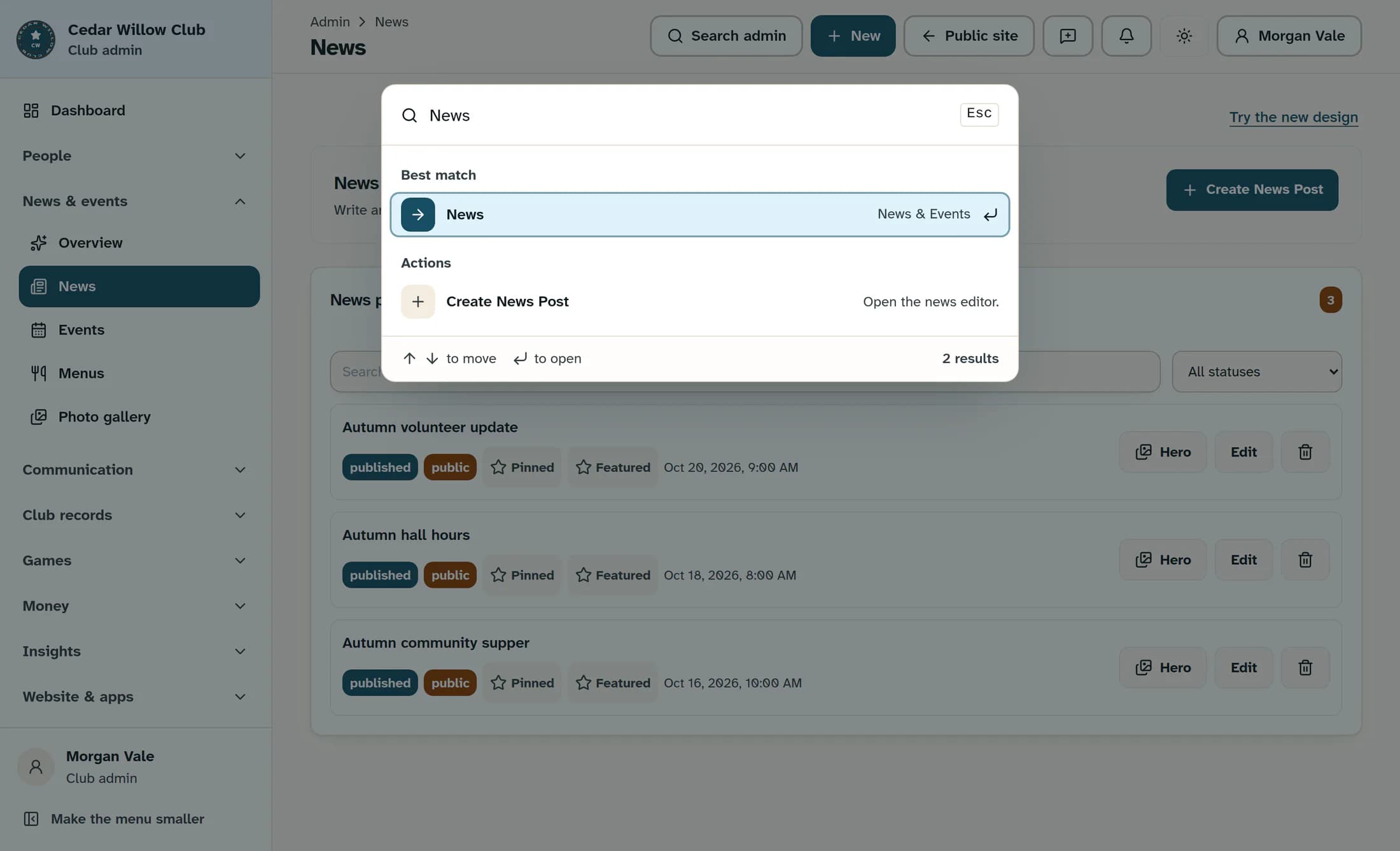
In your club’s admin area, open Search admin, enter News, and choose the News page result. The example uses the Classic news module inside the Clubhouse admin shell.
Find the post you want to understand
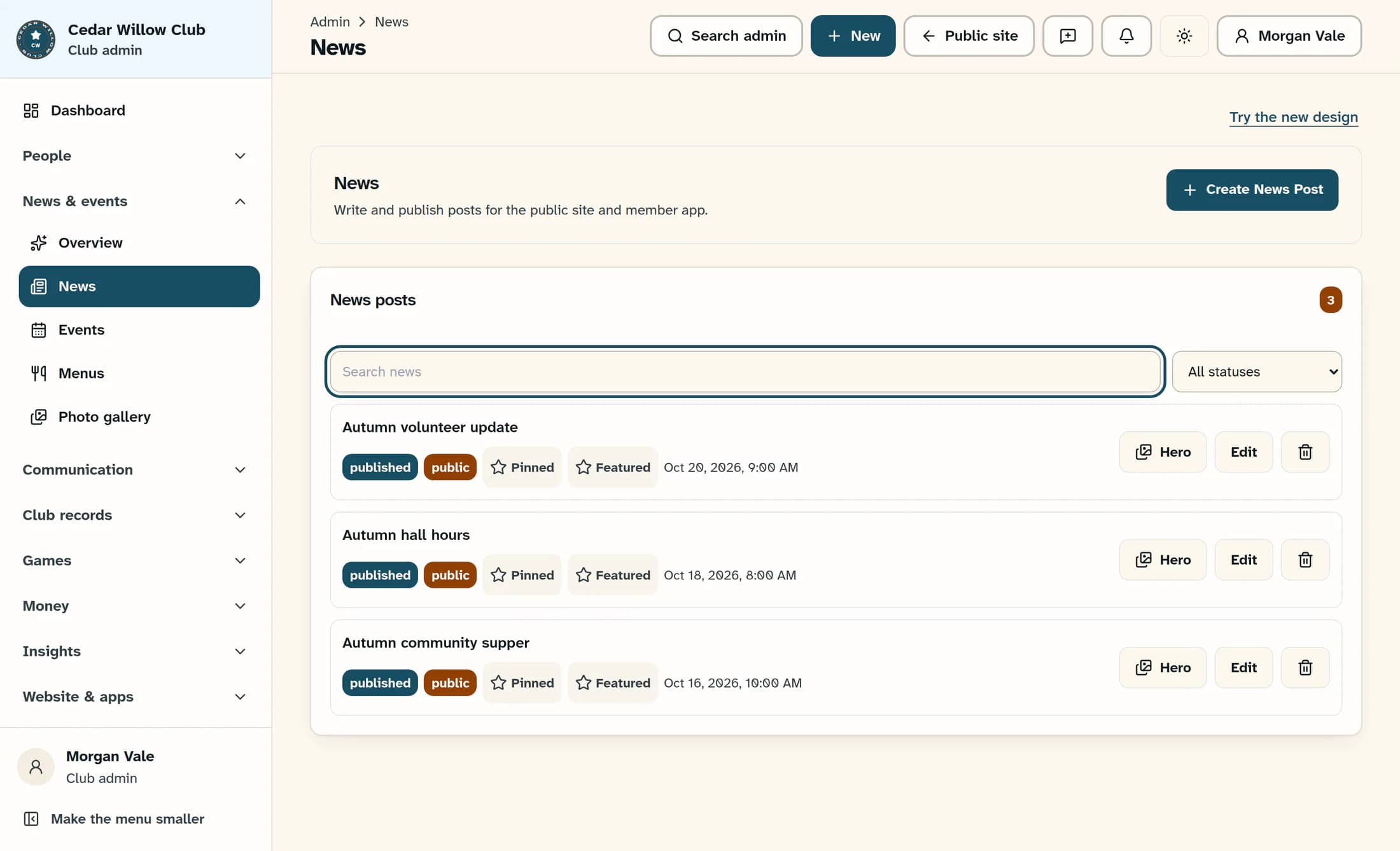
Use Search news to find an existing post, then choose its Edit action. The example uses a public, already-published post called “Autumn volunteer update” that has never sent a push notification or been shared to Facebook. The editor lets you read its current settings; leave all values as they are.
Publication, audience, and time work together
Audience identifies the intended readers; Status and the publication time determine whether the post is available yet. The public news listing requires Public, Published, and a publication time that has arrived. The browser member portal’s news query loads Members posts that are published, unarchived, and due. A Public post is not automatically included in that member-only news query.
A scheduled post is stored as published with a future publication time. Reader listings keep it hidden until that time arrives. Drafts and archived posts are not made public just because a notification option is selected.
The editor shows Publish now or set publish date and Schedule publish separately. Read these alongside Status rather than treating “Published” alone as proof that readers can see the post. The editor’s general wording about updating “the website and the app” does not override audience or time restrictions.
A quiet update and a new notification are different
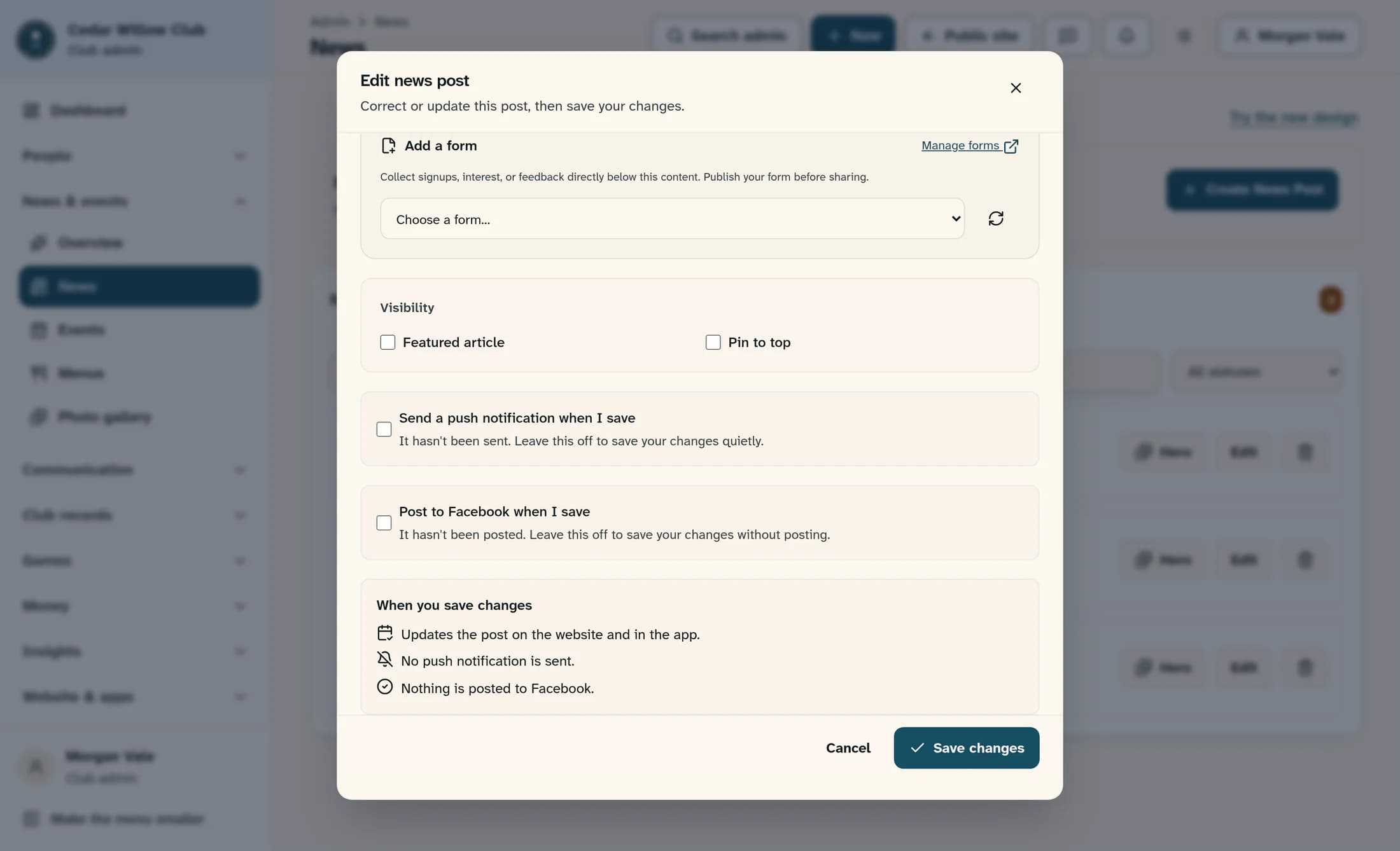
Scroll within the open editor to read the notification options and summary. For a live post that has never used either channel, the editor opens with Send a push notification when I save and Post to Facebook when I save off. That allows a correction to the existing post without announcing it again. Drafts and scheduled posts retain their previously chosen notification options instead.
When you save changes predicts the post update, push notification, and Facebook post separately. In this example, it predicts an update with no push notification and nothing posted to Facebook. It is an explanation of the current form, not a delivery receipt.
After reading the editor, choose Cancel to leave without saving. This inspection does not publish, schedule, change, or send anything.
Publication does not promise a message
The news post, push request, and Facebook request are saved as separate choices. Publishing alone does not promise either notification. The news editor has no email or SMS delivery controls; those channels belong to Communications.
Push delivery also depends on the club’s push feature, authorized staff access, and valid registered devices. For signed-in recipients, the linked club user must be active and their notification preferences must allow it. Public news push may also reach eligible anonymous devices; members-only news push excludes them. Publishing does not override a person’s push opt-out or notification-type preferences.
Previously sent notices are treated differently
When the record already says a push was sent or a Facebook post was made, the editor replaces that channel’s checkbox with an explanatory note. The normal save path does not intentionally send that channel again. This does not guarantee exactly one delivery in every failure or retry situation.
A correction updates the saved article. It is not a new push announcement, and it does not rewrite a Facebook post that was already shared.
A saved article can coexist with a failed notification
ClubWorks saves the article before requesting its notifications. An expired session, a push or Facebook error, or a later follow-up failure can leave the article saved even though notification delivery failed. A notification error does not by itself mean the article needs to be published again.
The news list’s push-sent state is not proof that a member received or read anything. The push request marks the record before contacting the sender to reduce simultaneous duplicate attempts, so that mark can coexist with a failed attempt in notification history. The immediate result’s device count and error count are more useful: zero accepted devices does not mean members were reached.
Before any new send, check the direct Push Notifications history and the reported result for the original attempt. Treat saving, attempted delivery, accepted devices, and member reading as different outcomes.
Scheduled push depends on the background service
When configured, the scheduled notification service periodically looks for due news posts with push requested. It handles up to 50 due posts across all clubs in one run and looks back only six hours. It is not an exact-time guarantee or an unlimited catch-up service; disabled push features skip sends. The same claim-before-send protection reduces overlapping push attempts without proving delivery.
The editor may predict that Facebook will post when a scheduled story goes live. The reviewed browser application includes a scheduled-news push worker, but no scheduled Facebook worker was found. Do not rely on that prediction as confirmation of automatic scheduled Facebook posting.
Facebook has a separate audience boundary
Facebook is an external Page destination. Its post is built from the news title, excerpt or body, and article URL. The reviewed Facebook posting checks do not restrict the news audience to Public. Choosing Members for the article therefore does not protect an excerpt that is separately shared to Facebook.
The Facebook flow checks whether a post is already recorded, sends it externally, and then records the posted flag. That differs from push’s claim-before-send behavior, so a retry or overlapping request is not guaranteed to be duplicate-free.
Keep the three outcomes separate
Audience and publication time control reading access. Push and Facebook settings request separate delivery. The editor’s prediction and saved flags help explain intent and past attempts, while delivery results and notification history show what still needs attention.
