
On this page
Before you start
Step 1 of 6
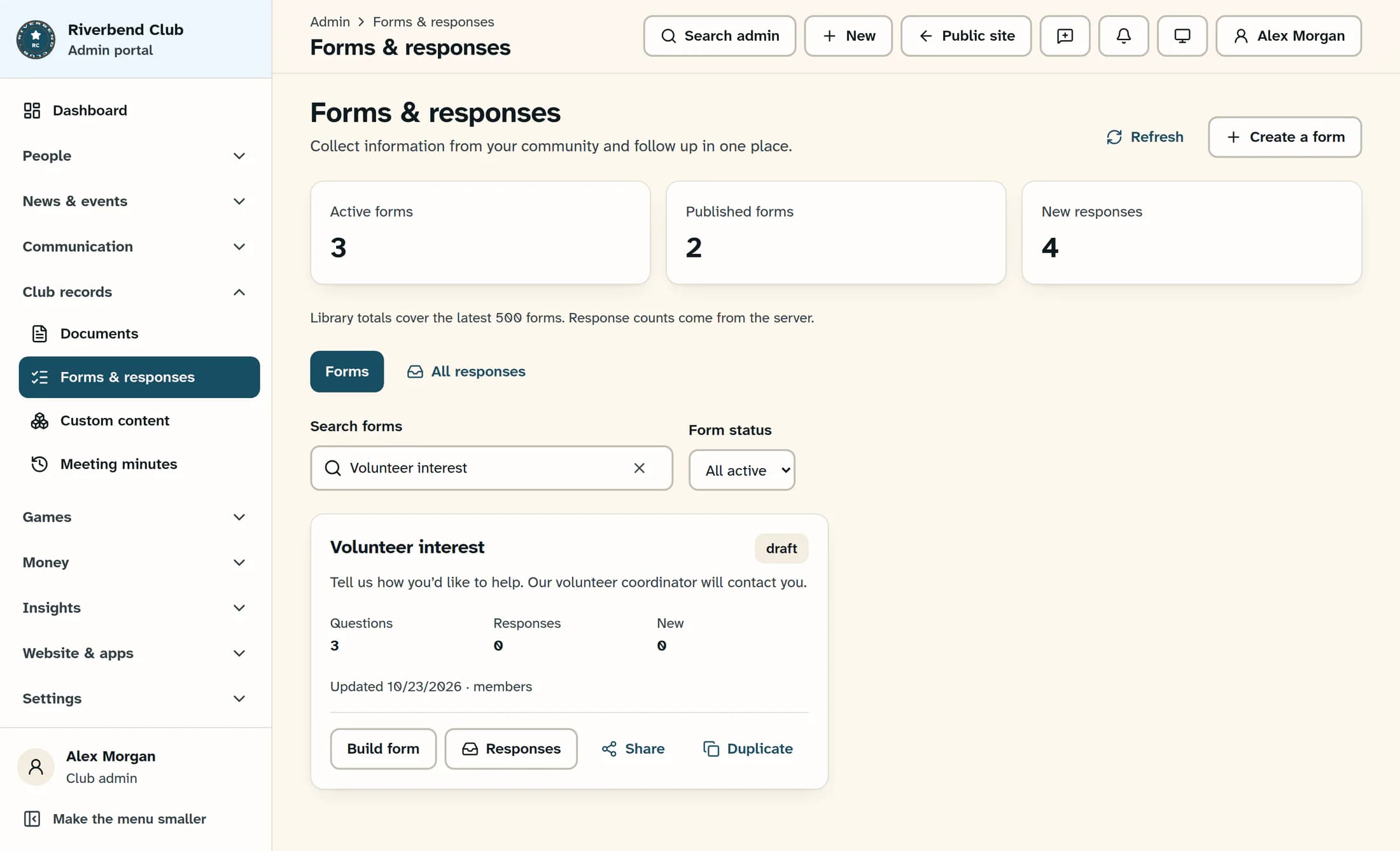
Open your saved form
Select Search admin, type forms, then choose Forms & Responses under Best match. In the library, use Search forms to find your form and select Build form on its card.
Step 2 of 6
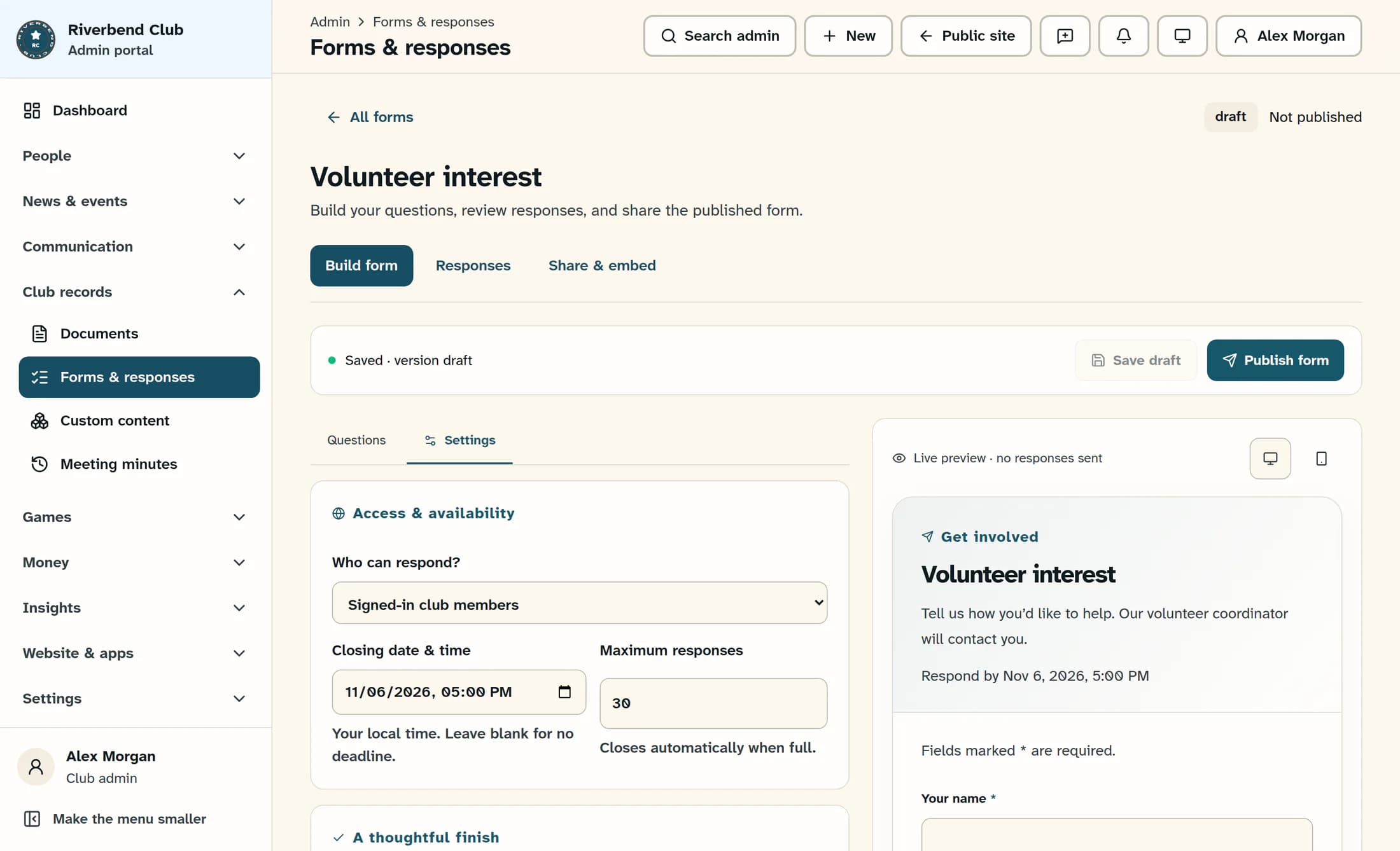
Choose who can respond
In the builder, select Settings. Under Who can respond?, choose Anyone with the link, Signed-in club members, Club officers and administrators, or Club administrators to match your intended audience.
Step 3 of 6
Set any closing rules
If needed, enter a Closing date & time using your browser’s local time; leave it blank for no deadline. Set Maximum responses if you want the form to close when it fills up, or leave it blank for no limit.
Step 4 of 6
Review the preview
Review the inline Live preview · no responses sent panel. Use Desktop preview and Mobile preview to check both layouts; trying the preview does not send a response.
Step 5 of 6
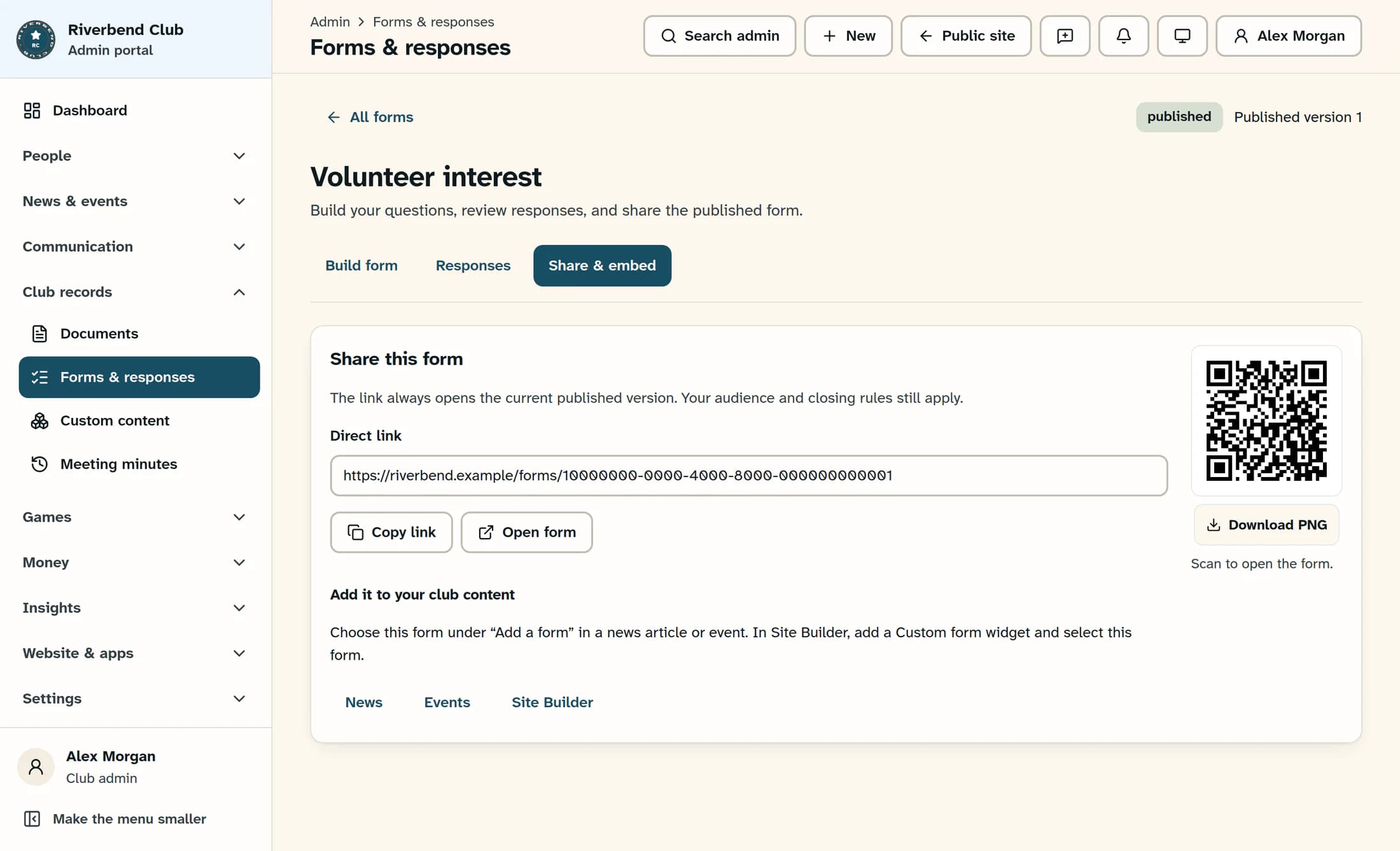
Publish the form
Select Publish form, or Publish changes if the form has been published before. Check for the published badge and the published version number above the form title.
Step 6 of 6
Copy and check the link
Select Share & embed, then Copy link below Direct link. Use Open form to check the published form in a new tab, then share the copied link with your intended respondents.
Tips
Result
Your form is published, and the shared link opens its current published version for people allowed to respond.
Troubleshooting
- If email alert edits block saving or publishing, return to Settings and use Save email alerts, or restore the recipient list to its saved values. Alert recipients save separately; publishing does not save those edits.
- If someone cannot respond, check that they meet the published audience requirements and that the deadline or response limit has not been reached.
- If Copy link fails, select and copy the value in Direct link.
About this guide
The illustrations are source-based reconstructions of ClubWorks using fictional club and form details.
The screens in this guide show example clubs and people. Your club's name, colours and some labels may look different.
