
On this page
Before you begin
Step 1 of 5
Open your private ticket link
Open the ticket link in your most recent ClubWorks support email. Keep the complete link private: anyone with it can read and reply to this ticket.
Step 2 of 5
Check the ticket and conversation
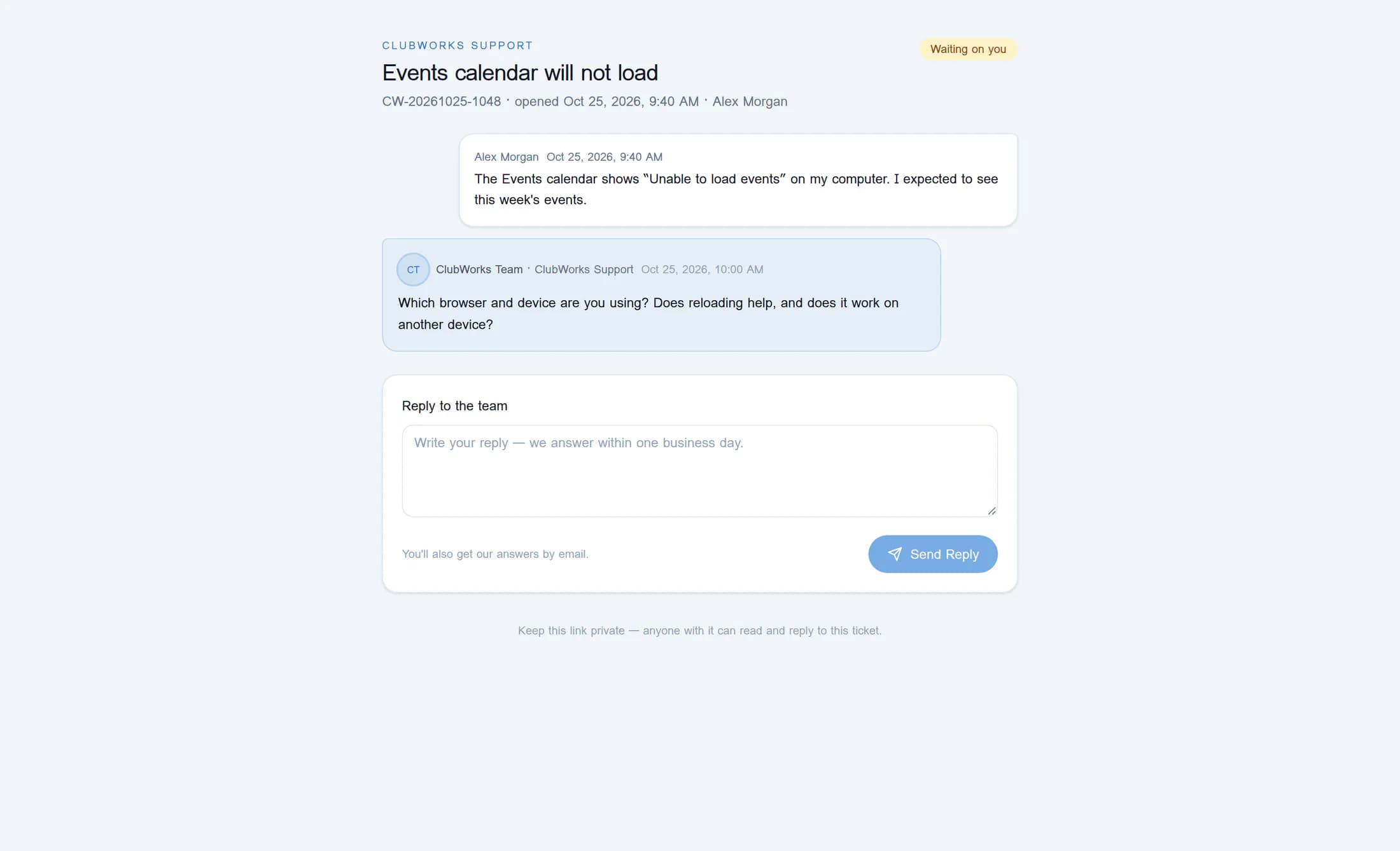
Match the title and reference, when shown, to the issue you reported. Read the messages from oldest to newest and look for any details requested in the latest reply. The status beside the title shows where the ticket stands.
What the status means
- Received: the ticket is recorded.
- In progress: the ticket is open for follow-up.
- Waiting on you: the team is waiting for your input.
- On hold: work on the ticket is paused.
- Solved: the ticket is marked resolved.
- Closed: the ticket is marked closed. Neither Solved nor Closed independently confirms that the product problem is fixed.
Step 3 of 5
Write a useful reply
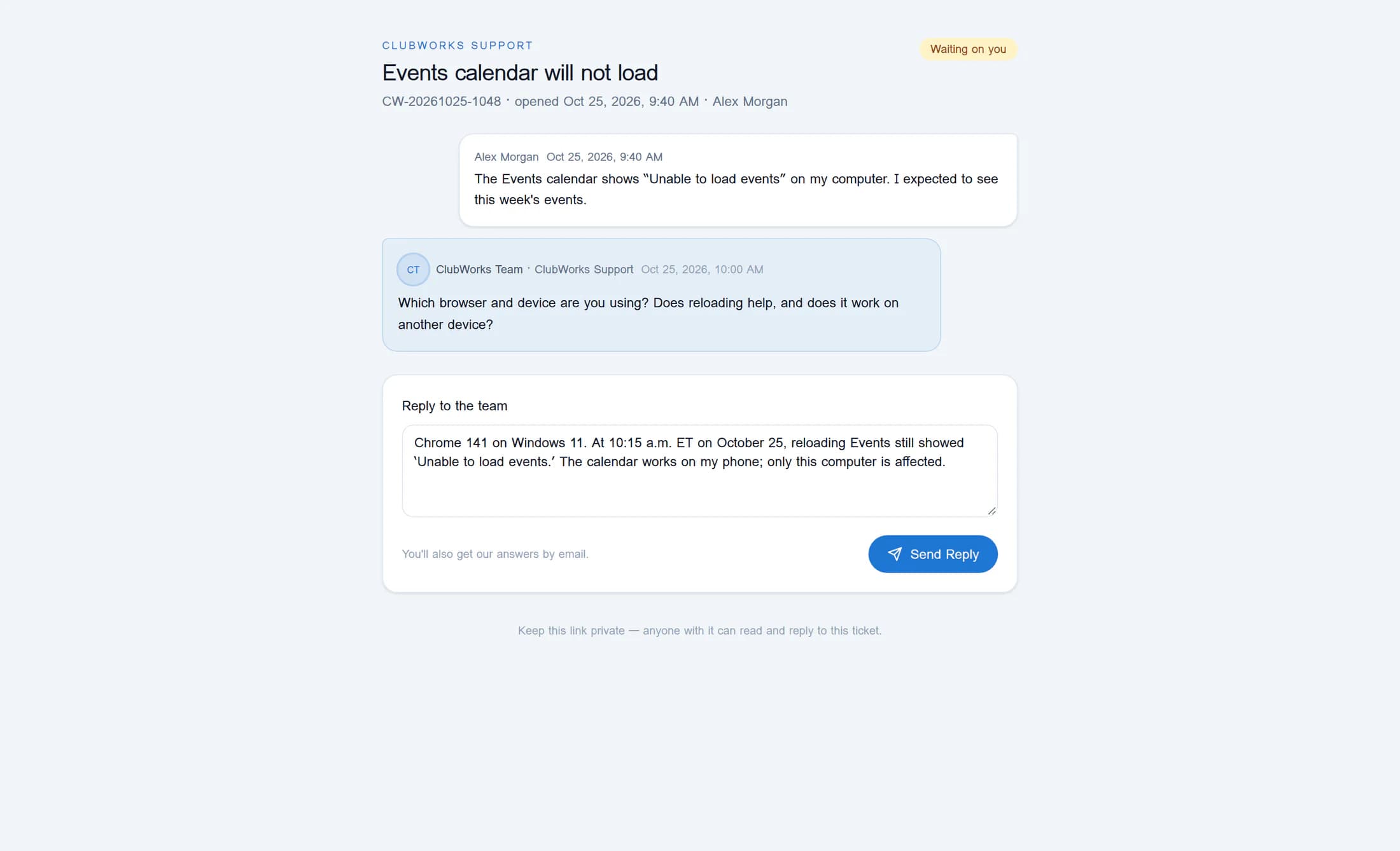
Under Reply to the team, enter a reply that answers the requested questions. Include what you tried, what happened, and the relevant date, time zone, browser or app version. Keep it concise and leave out passwords, payment details and private links.
Example reply
“Chrome 141 on Windows 11. At 10:15 a.m. ET on October 25, reloading Events still showed ‘Unable to load events.’ The calendar works on my phone; only this computer is affected.”
Step 4 of 5
Send your reply once
Select Send Reply once. The button is unavailable while the reply is empty or sending; use at least two characters other than surrounding spaces. Stay on the page while the request finishes.
Step 5 of 5
Check the refreshed conversation
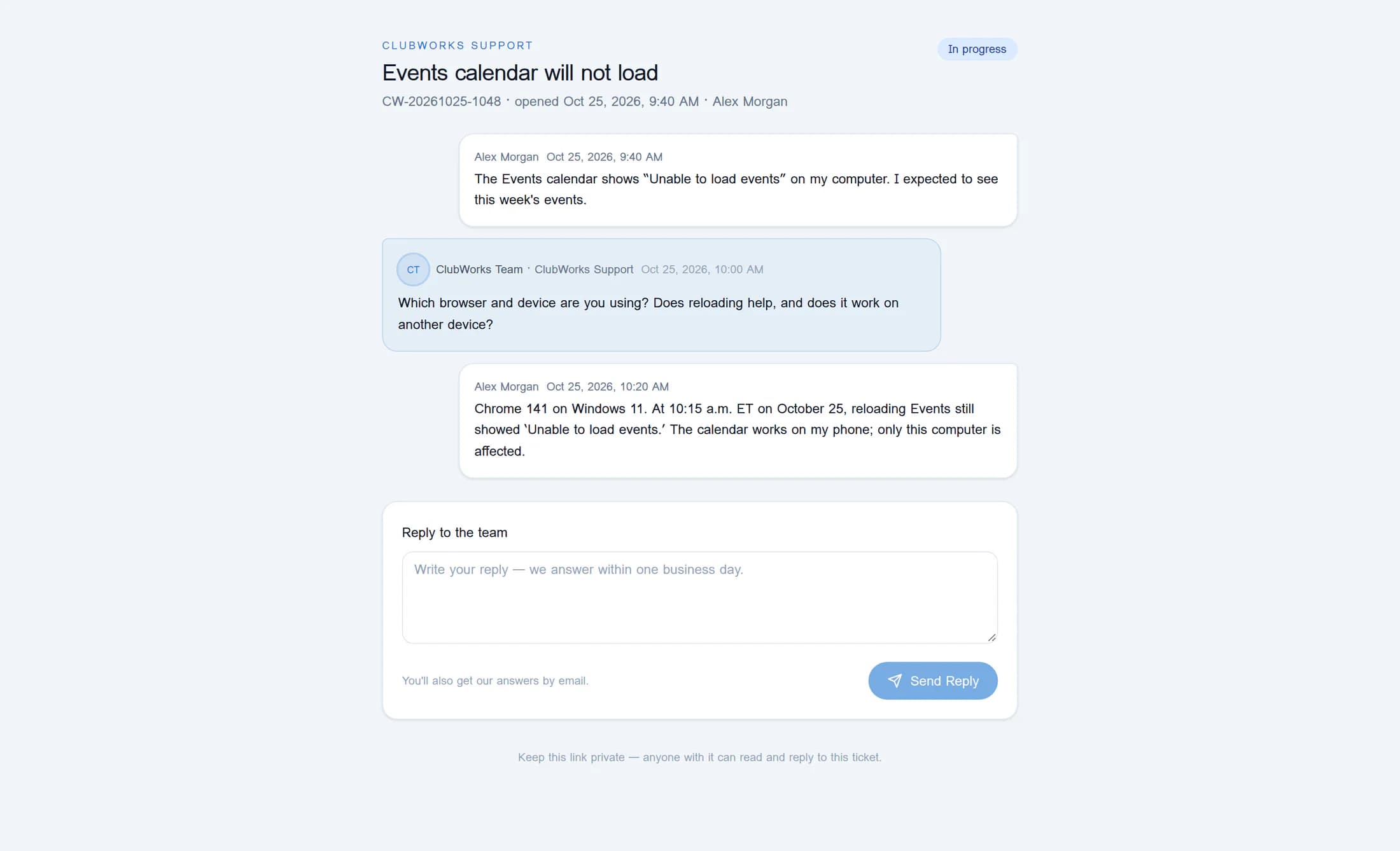
Look for Sent, then allow the page to refresh. Confirm that your new message appears in the conversation; a ticket that was Waiting on you normally changes to In progress after your reply. The confirmation does not prove that an email was delivered.
If something needs attention
The illustrations reconstruct the private ticket page with fictional plain-text messages. Rich-text replies may look different; response times, email delivery and the live workflow have not been verified.
Keep the conversation together
Keep your private link and ticket reference handy. Use the refreshed conversation to check your reply and continue the same issue.
