
On this page
- Joining and sign-in are digital access
- Signup codes and page QR codes have a different purpose
- Portal eligibility is checked separately
- A membership QR code checks a current record
- A register lookup identifies the member
- Physical entry depends on the club's door system
- Match the question to the access involved
Joining and sign-in are digital access
The newer admin layout calls its onboarding area Joining and sign-in; the classic layout presents the same joining controls differently. These tools manage joining requests and sign-in accounts, while password resets and account links help someone authenticate to ClubWorks. A working password does not establish that the person's membership currently permits portal access or that a door credential exists.
Signup codes and page QR codes have a different purpose
Access codes support signup requests: in the access-code signup mode, someone needs a code to request access and staff still approve the request. The QR codes area creates links to destinations such as member signup, a menu, or a club page. Those destination links are different from the short-lived code used to verify an existing membership.
Portal eligibility is checked separately
ClubWorks checks whether the club's user profile is active before applying membership rules. With an active profile, club administrators, officers, and platform administrators have a staff exception; other people can be refused for inactive, deceased, or currently suspended membership. A suspension's scheduled lift date uses the club's local date.
Active, pending, and prospect membership states are otherwise allowed by this portal-access check. Overdue dues alone are not its refusal test, and a successful sign-in does not override a refused membership state. An active user profile and an active membership status are separate facts.
A membership QR code checks a current record
Membership verification describes a two-minute QR code for authorized club staff to check the current membership record. It is tied to one club, expires after two minutes, and disappears from the browser when it expires; it is not a permanently valid badge or an automatically refreshing code. The illustration shows the newer member layout before any code has been created.
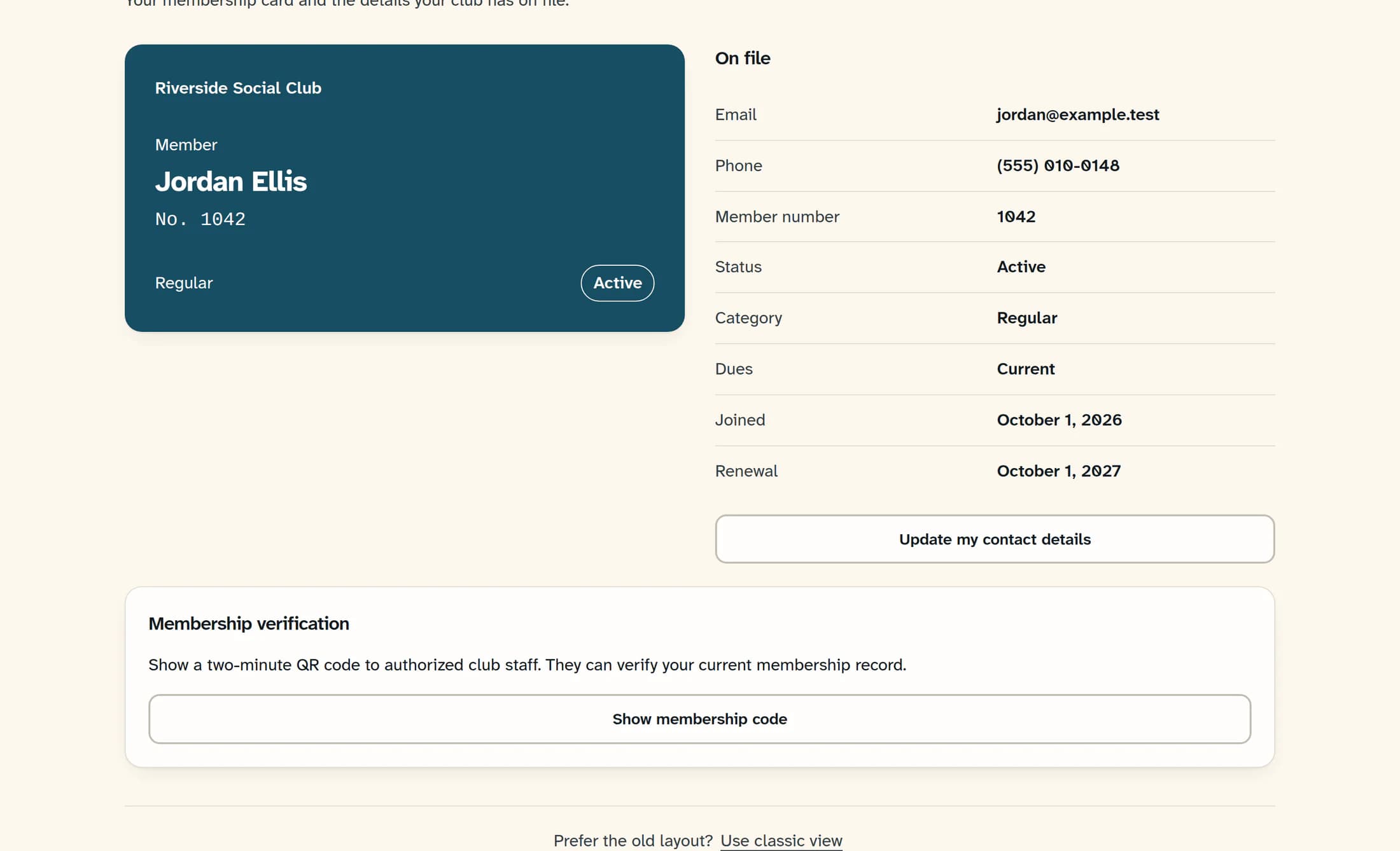
Creating a code requires authenticated, permitted member access, the club's membership feature, a matching membership record, and a secure HTTPS club website. Demo membership codes are disabled. Staff verification requires member-view access for that club and an unexpired code, and reads the current member, membership, and portal-access records.
A register lookup identifies the member
Where the club has a connected register integration, membership-card lookup identifies the member and returns facts such as membership status, dues status, dues paid-through date, and the access result. A successful lookup is not the same as approval for every purchase, benefit, or club activity. This lookup does not send an unlock command to physical door equipment.
Physical entry depends on the club's door system
Physical door access depends on the equipment and service the club has commissioned, along with its entry policy. This guide does not establish that a Cardlock connector is installed or that any particular club has an automatic lock integration. A password reset, dues update, or membership QR code is not confirmation that a lock credential changed or a door will open.
Match the question to the access involved
For a sign-in or membership-access problem, the club can check the ClubWorks account and current membership record. For a building-entry problem, the club's authorized door-system contact can confirm its equipment, credentials, and policy. The illustration uses a fictional, reconstructed example; no active verification code or real door operation is shown.
