
On this page
Before you begin
Step 1 of 4
Find the right member
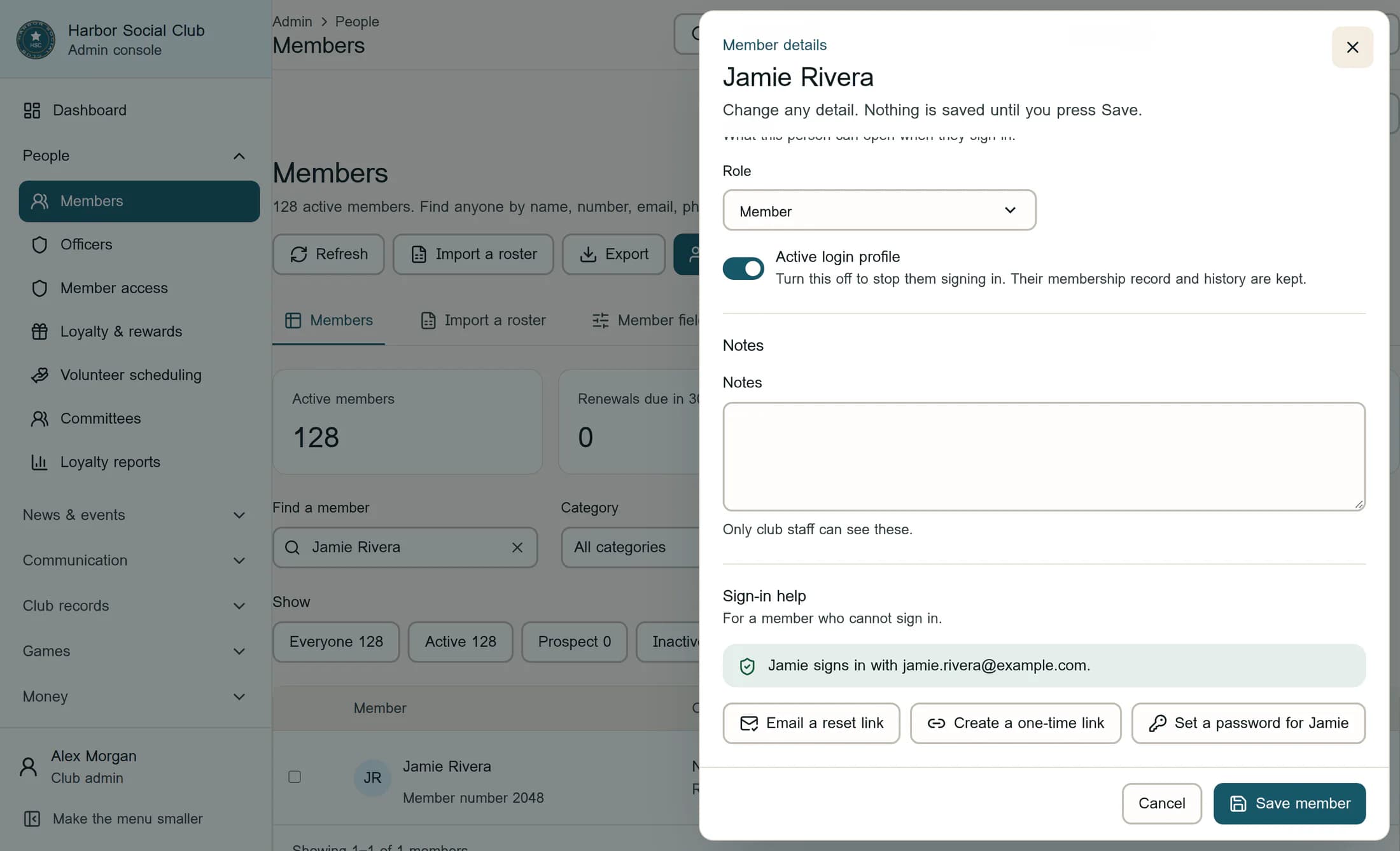
In the admin menu, open People > Members. Use Find a member to search by name or member number, then check the matching record. Click the member's name to open their details and scroll down to Sign-in help.
The row menu's Sign-in help option opens the same member panel; you may still need to scroll to that section.
Step 2 of 4
Check the saved sign-in email
Read the address shown under Sign-in help and confirm it belongs to the member. If the warning says their sign-in uses a different email, resolve that mismatch before sending: see Correct a member's sign-in email or account link.
Once the saved address and sign-in account are correct, click Email a reset link.
Step 3 of 4
Confirm and send the link
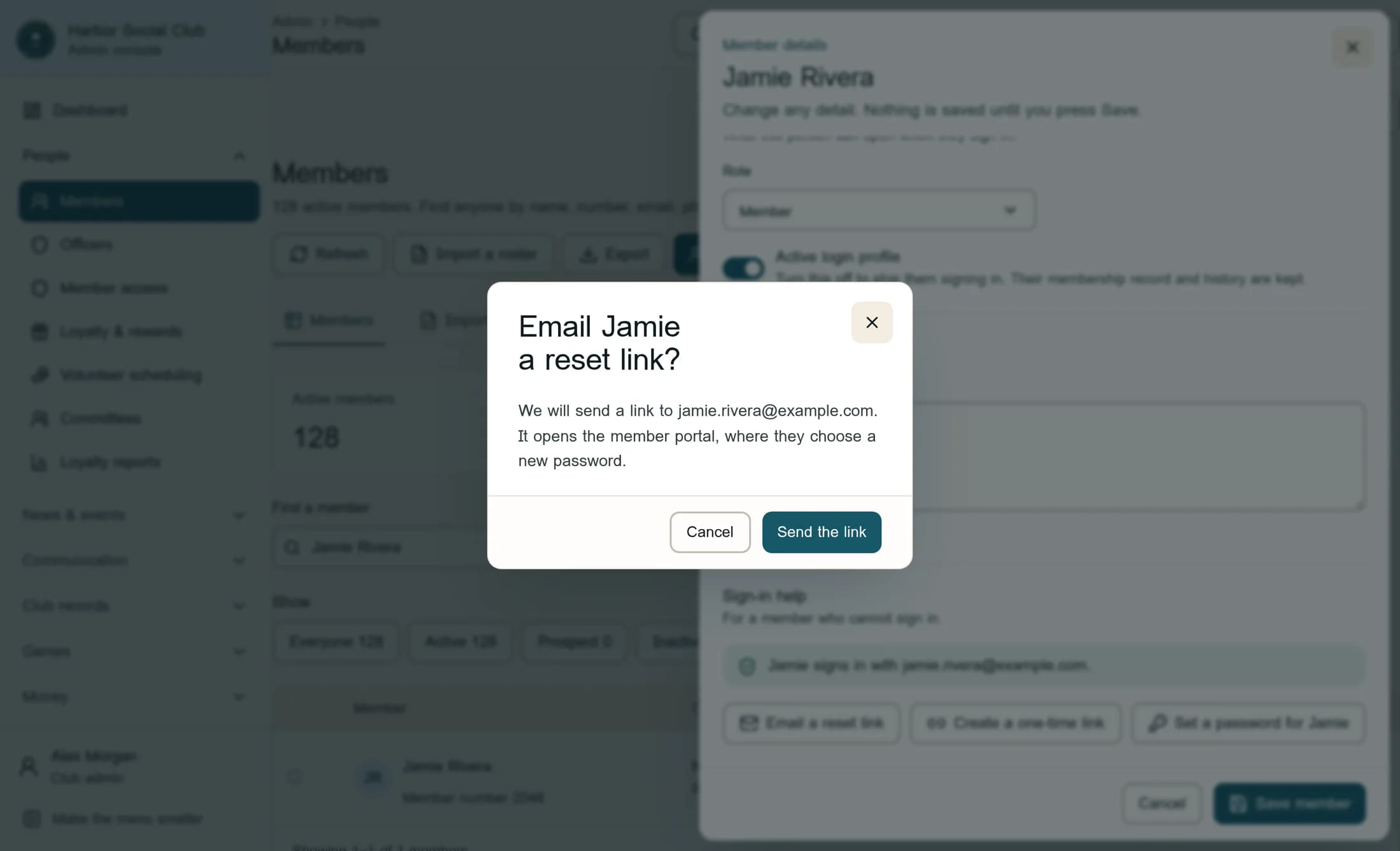
Check the recipient again in the confirmation dialog. For the fictional member shown here, the title is “Email Jamie a reset link?” and the message names jamie.rivera@example.com. Click Cancel if anything is wrong. Otherwise, click Send the link.
Confirming sends the email immediately. You do not need to click Save member, despite the panel's general message about saving changes. Closing the panel with Cancel afterward does not undo the send.
Sending can also create or link a sign-in account for the saved email before the email is sent. An email error does not prove that no account link changed.
Step 4 of 4
Check the result
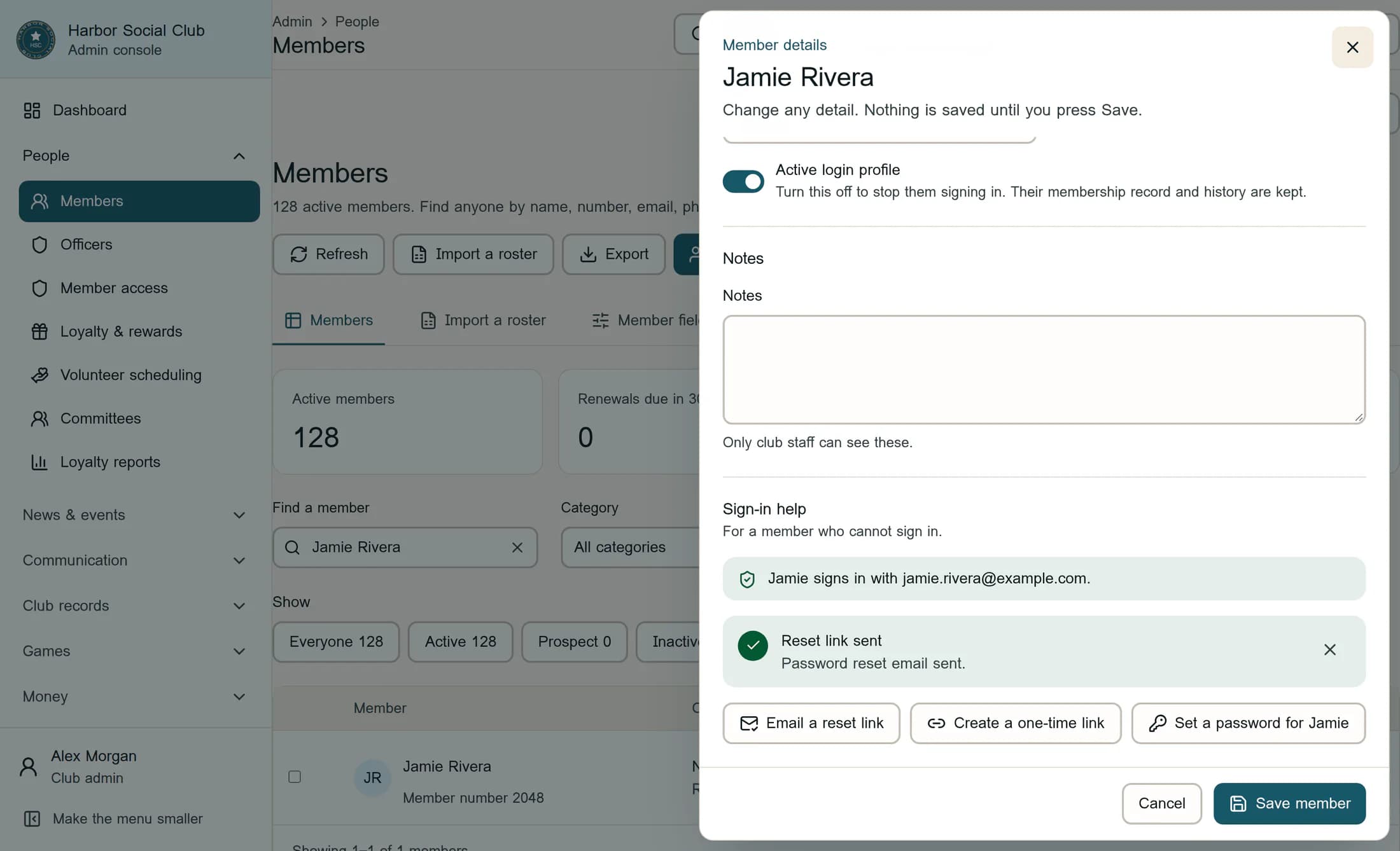
Wait for Reset link sent and Password reset email sent. This confirms the reset request succeeded; it does not confirm inbox delivery or that the member has changed their password.
Ask the member to open the link from their club's email. On Create your password, they enter their own matching New password and Confirm password values, with at least 8 characters, then choose Save password. If the screen offers Finish account setup or Sign in again, they should follow that message. Keep their password private.
If something gets in the way
What this changes
This sends a password-reset email and may create or link the member's sign-in account. It does not change their dues or membership status, or send a mobile-app invitation. To create a link you share yourself, use Create a one-time member sign-in link.
Based on ClubWorks release 16782cba. Illustrations are fictional reconstructions from source; names and email addresses are substituted examples. Use the member's real inbox for an actual reset. Live UI and email-delivery checks are pending; no live reset was sent for this guide.
