
On this page
Before you begin
Step 1 of 3
Draw until one number remains
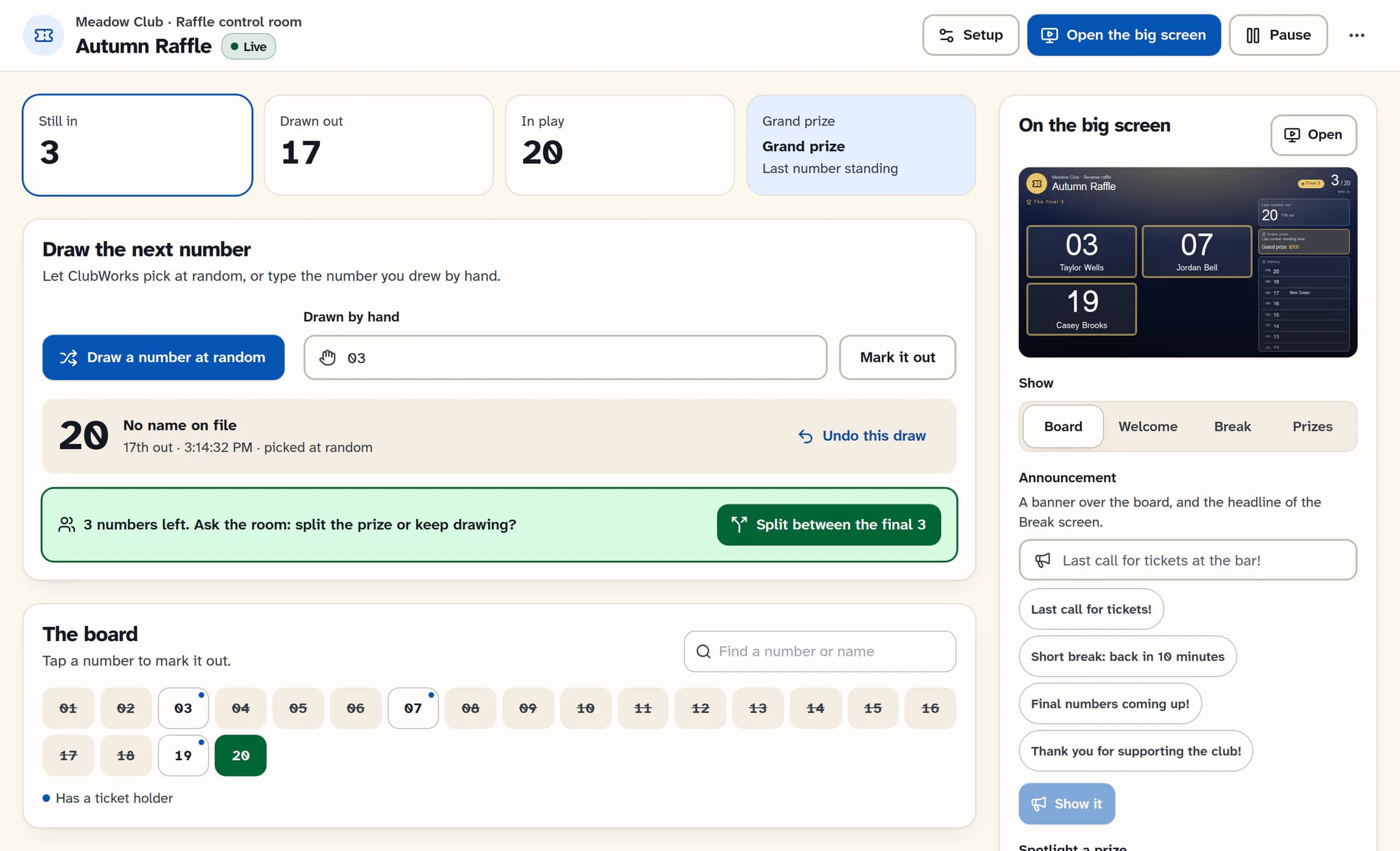
In the control room, use Draw a number at random or enter a ticket under Drawn by hand and select Mark it out. Keep drawing numbers out until one remains; the last number standing wins and the raffle finishes.
Step 2 of 3
Or split the grand prize
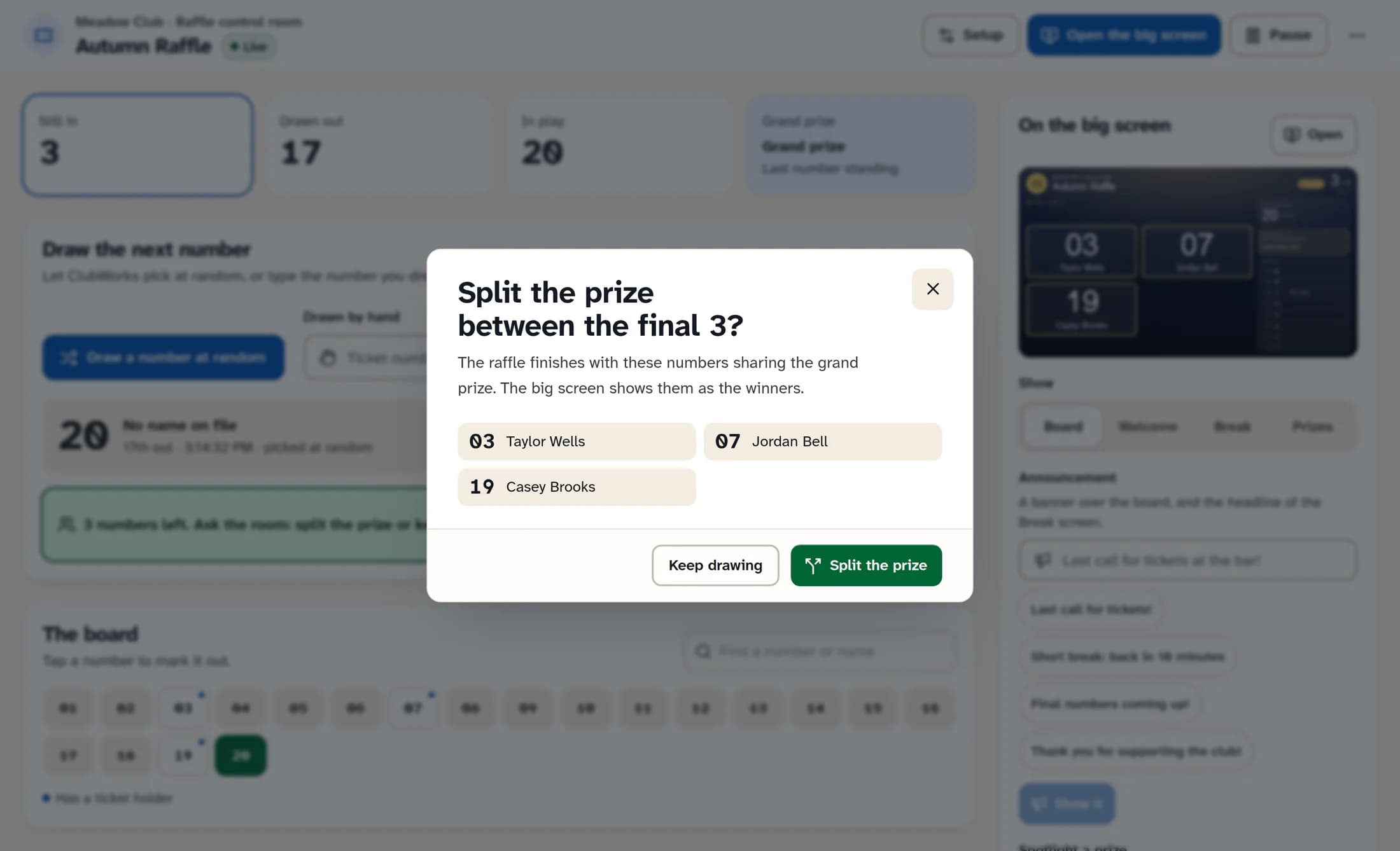
When the remaining group agrees to split, select Split between the final numbers. This control appears with 2–25 numbers left, or at a higher threshold if one is set in the screen settings. Check the listed numbers and names, then select Split the prize; the raffle finishes and the big screen shows the winners. Select Keep drawing to return without splitting.
Step 3 of 3
Download the results
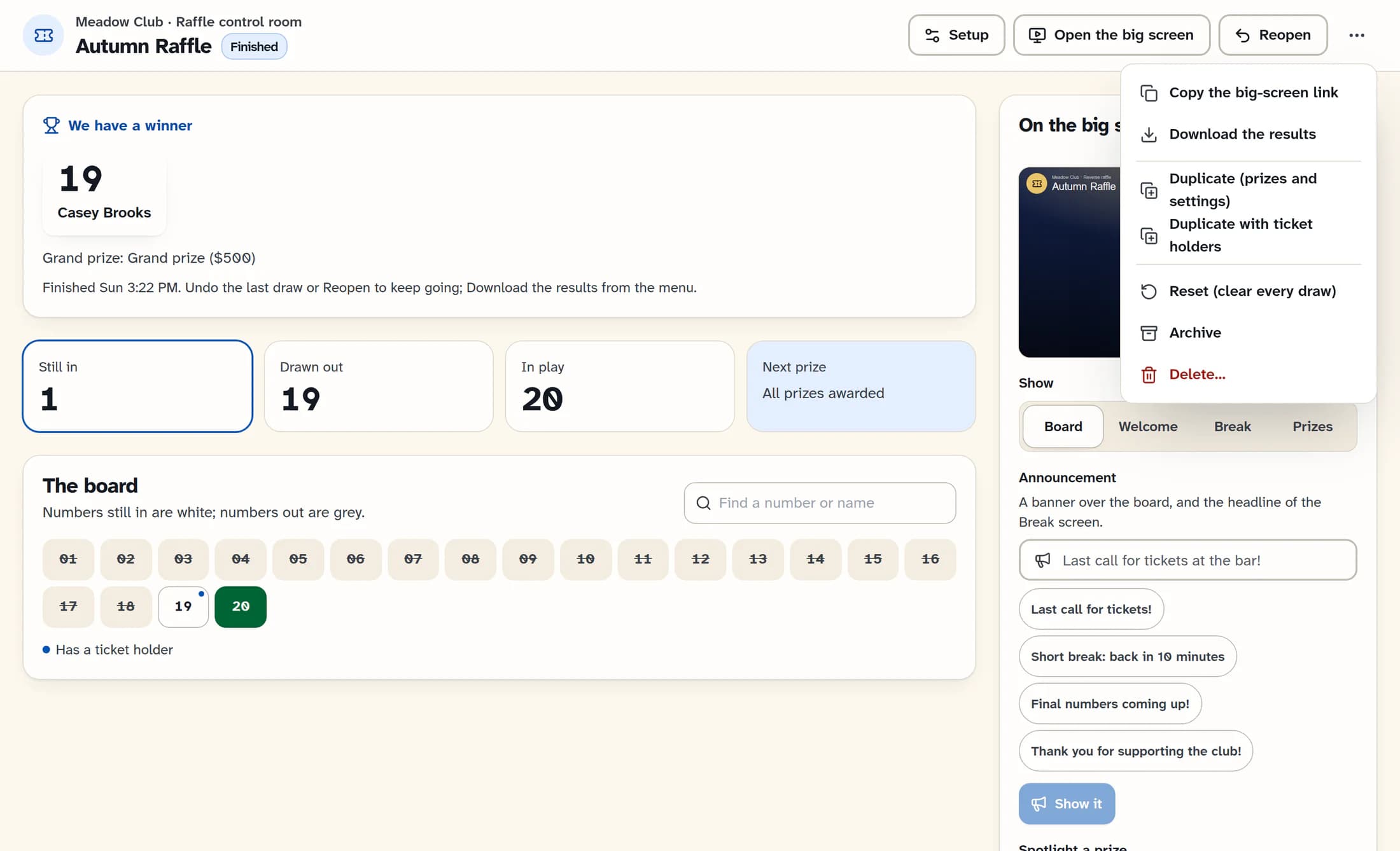
Once the raffle is finished, open More raffle actions in the control room header and select Download the results. The CSV includes the order drawn, number, holder, note, prize, time and draw method, followed by winner or split-winner rows. The download is disabled until at least one draw has been made, including if you finish with a split before any draws.
Reopen a finished raffle
If you need to keep going, select Reopen in the header. This returns the raffle to live and clears its finished result; after a split you can continue drawing the remaining numbers. If one number already remains, undo the last draw to put a number back before drawing again.
You’re all set
The control room shows the winner or split winners when the raffle finishes. Keep the downloaded results with your club’s records.
