
On this page
Before you begin
Step 1 of 2
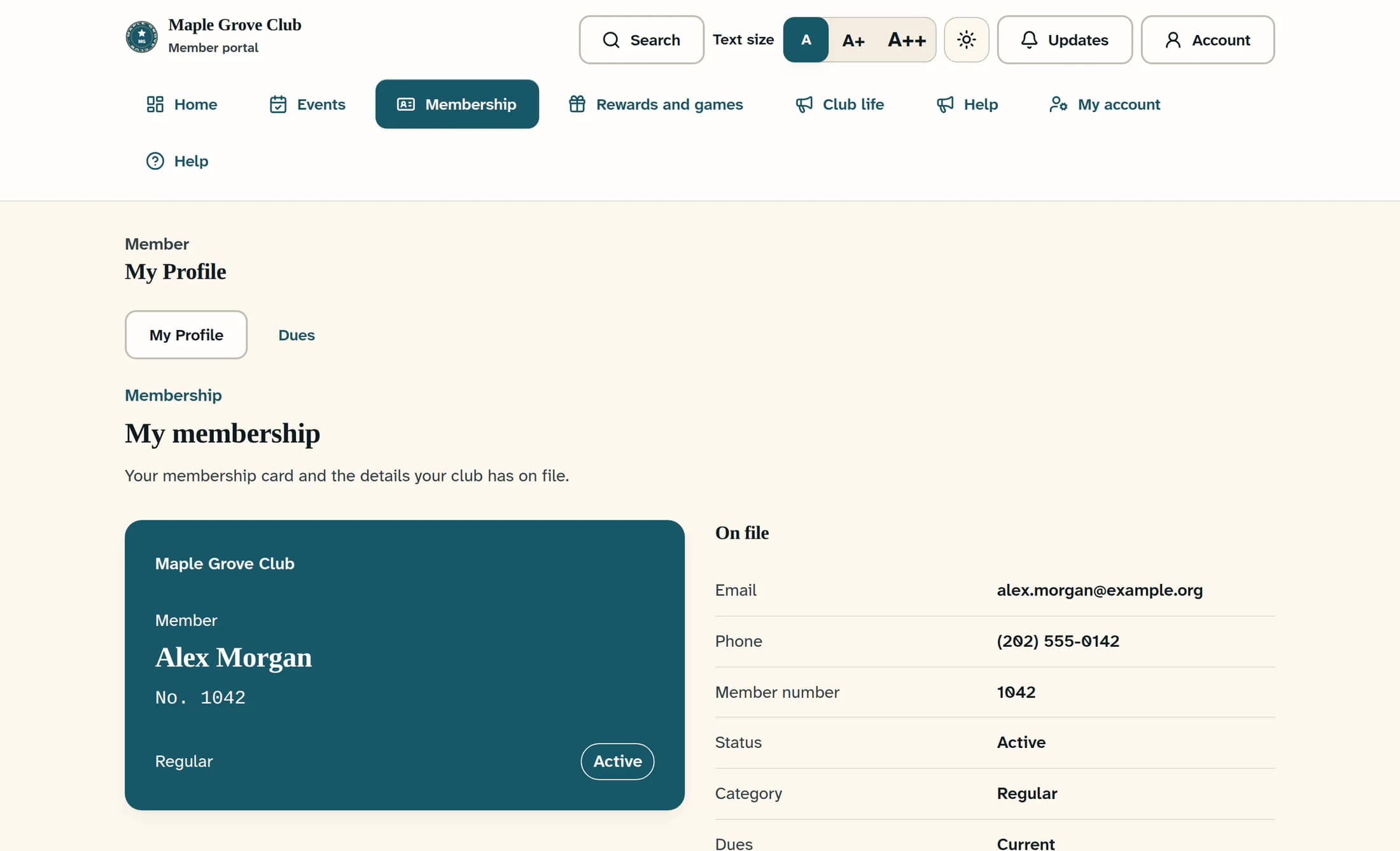
Find your membership card
Open Membership, then choose My Profile. On My membership, review your card and the On file details beside it.
Step 2 of 2
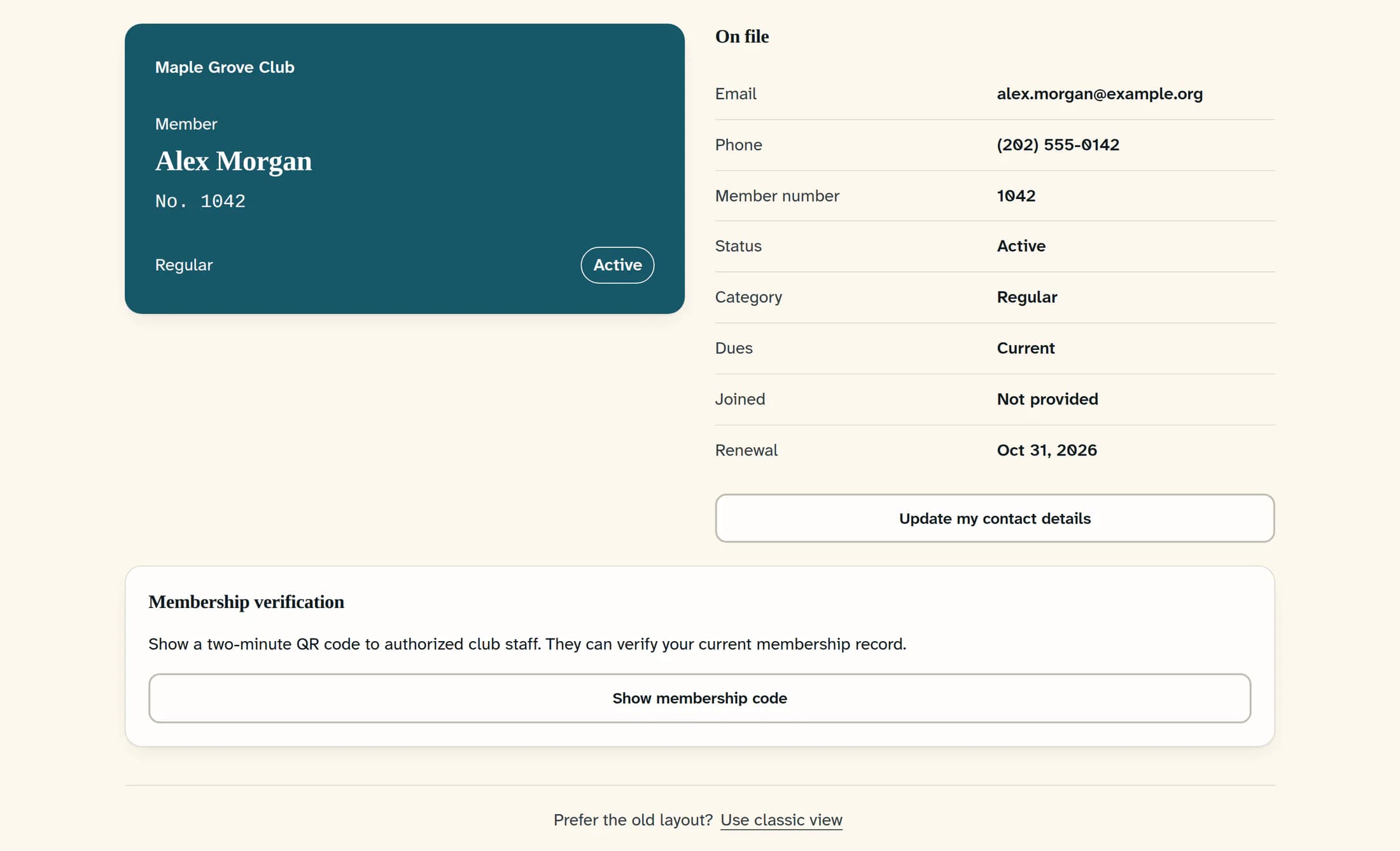
Show a code to club staff
Scroll down to Membership verification and select Show membership code. The button reads Creating code… while the code is prepared. Show the QR code only to authorized club staff so they can verify your current membership record.
When you need a fresh code
Each code lasts two minutes and disappears when it expires. While a code is displayed, Refresh membership code creates a fresh one; after expiry, Show membership code is available again.
Details and troubleshooting
Your card is close at hand
Return to My Profile whenever you need your card. Create a fresh verification code when authorized club staff need to check your membership.
