
On this page
Before you start
Step 1 of 5
Open Events
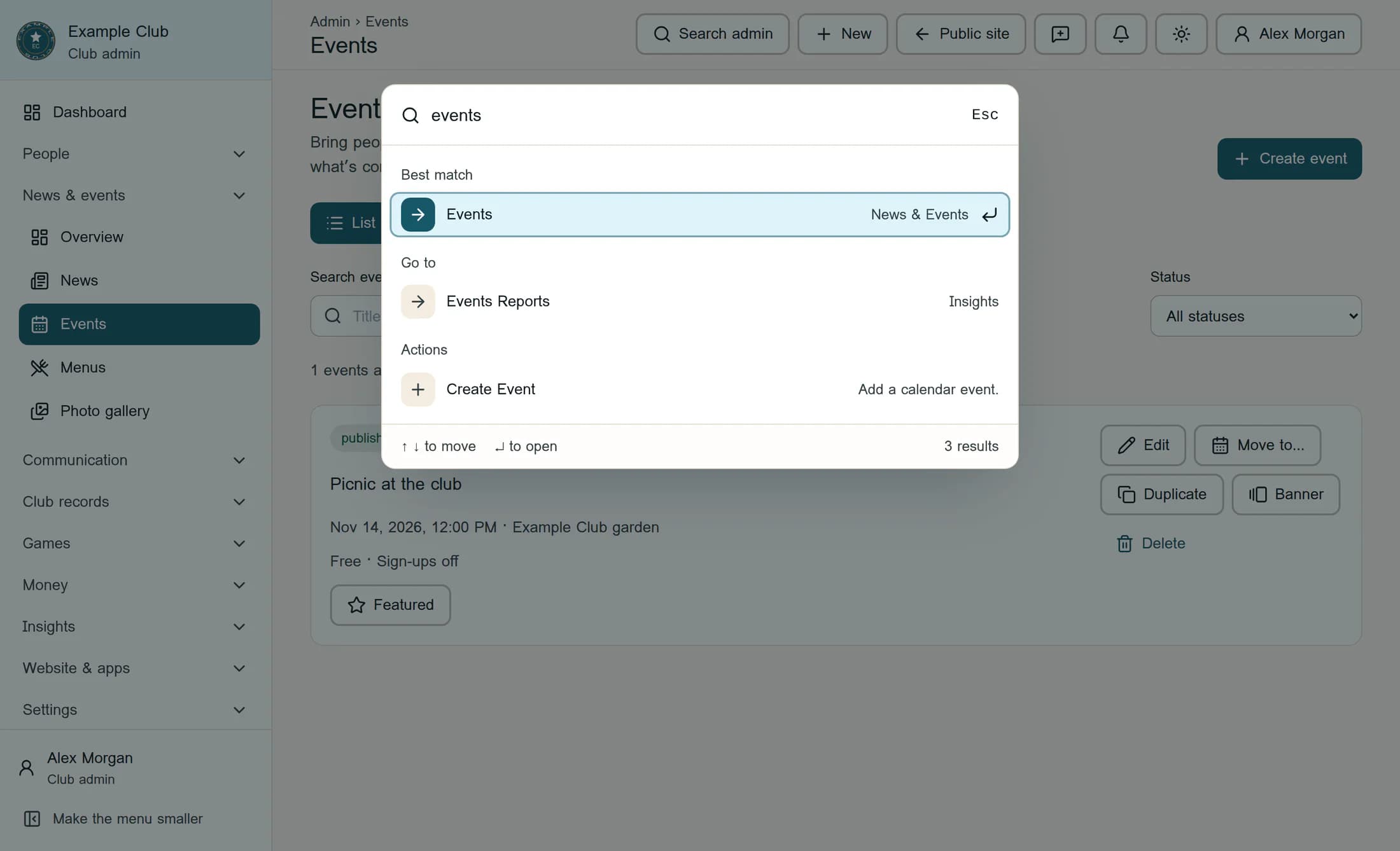
Select Search admin, type events, then choose Events under Best match.
Step 2 of 5
Edit the event
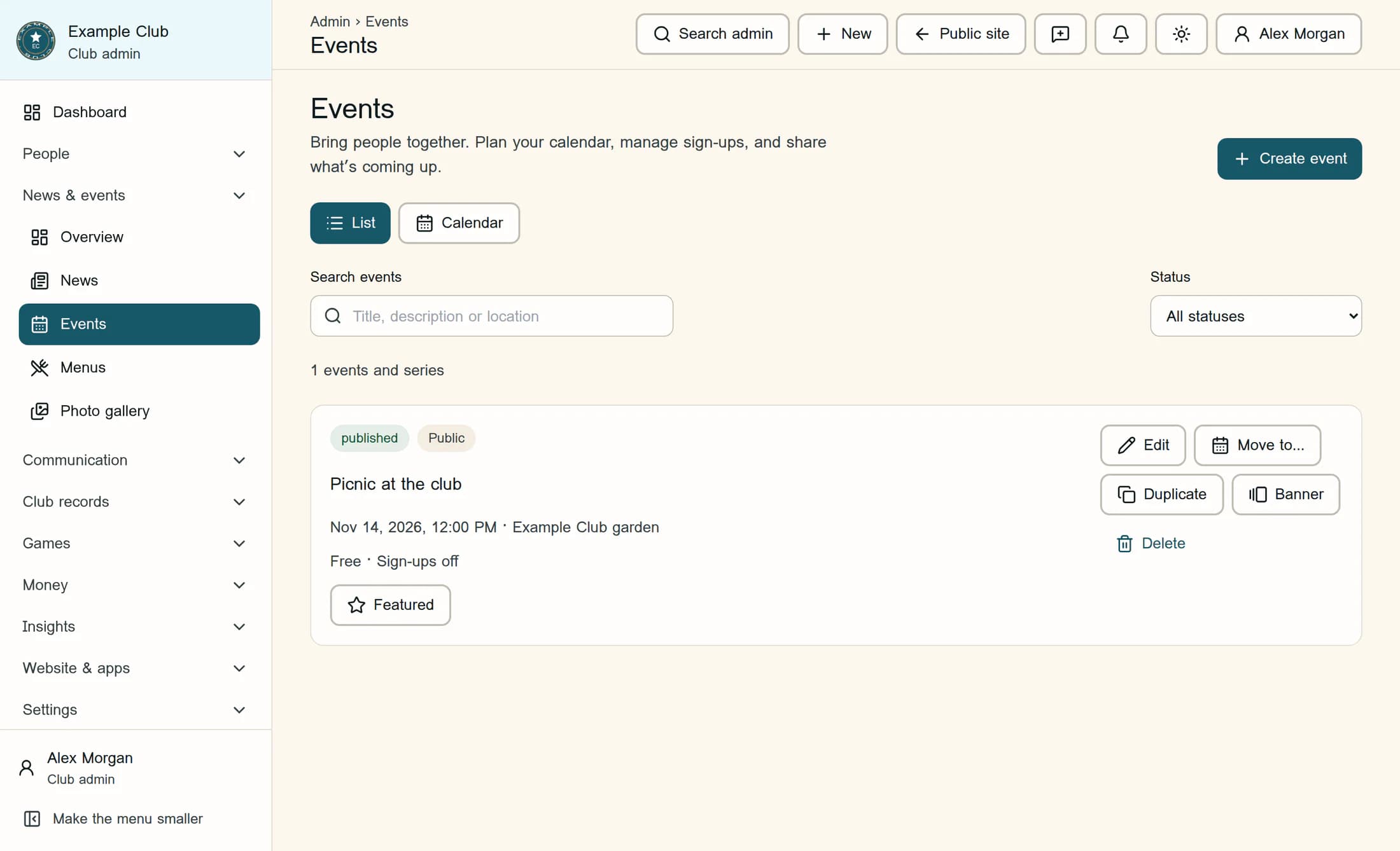
Find your event in the list, using Search events if needed. Select Edit on its row.
Step 3 of 5
Choose the form
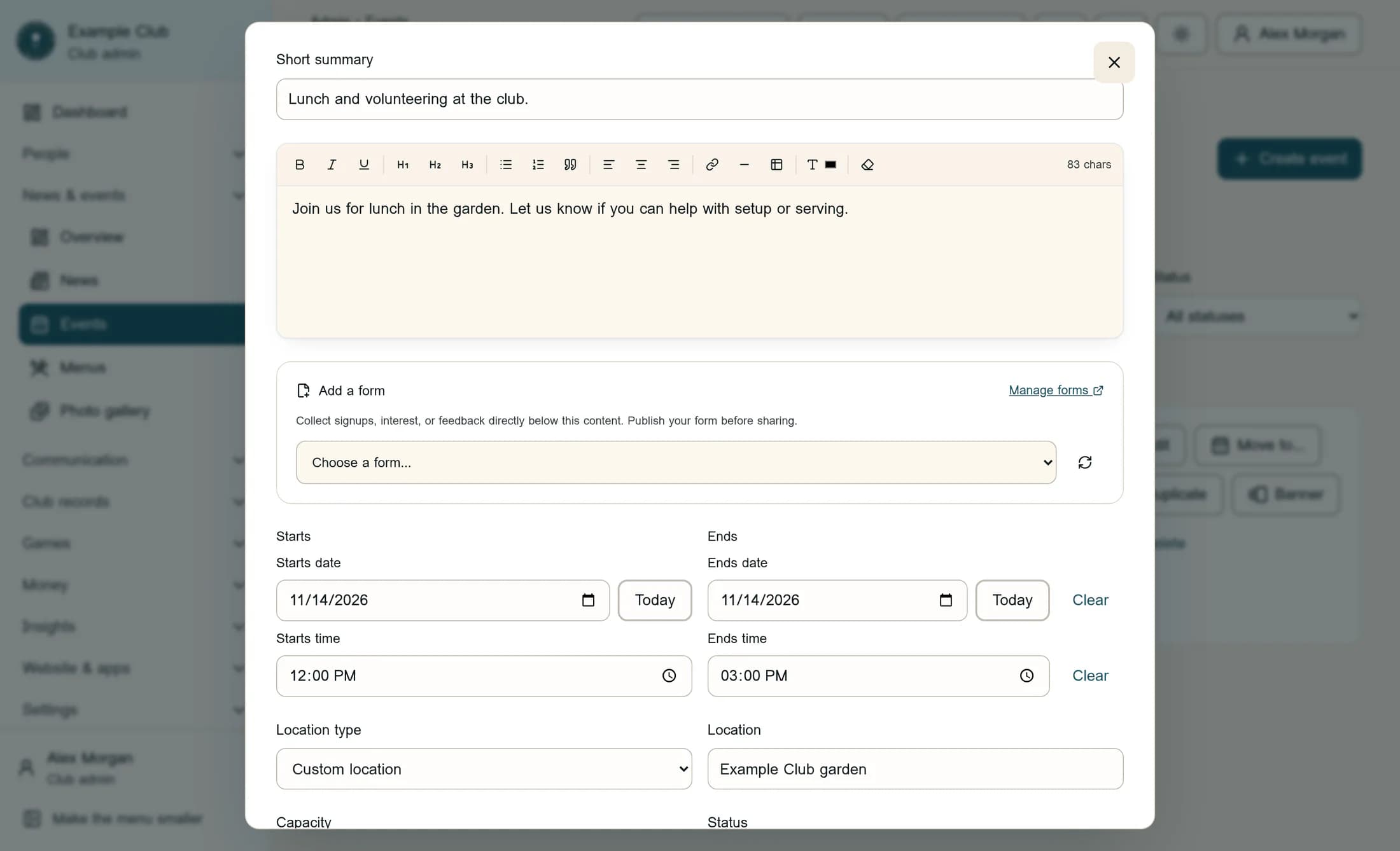
In Edit event, scroll below the description to Add a form. Open Choose a form… and select the form you want—for example, the published, public Picnic volunteer interest form.
Step 4 of 5
Save the attachment
Check that the form’s name appears below the picker; the attachment is not saved yet. Scroll to the bottom, review When you save, and select Save changes.
Step 5 of 5
Check the saved event
Reopen the event with Edit and check that the form is still attached. Check the event’s detail page as an intended recipient; a members-only form needs an authorized sign-in.
Tips
Result
The saved event includes the attached form below its content, subject to the form’s publication state and access rules. Visitors who can access an open, published form can respond from the event page.
Troubleshooting
- Form missing from the picker: confirm that it belongs to this club, is not archived, and is not already attached, then use Refresh form choices. If six forms are attached, remove one before choosing another.
- Visitors cannot use the form: check that the event is accessible, the form is published and open, and its visibility matches the audience. Attaching it does not change those settings.
- Unable to edit a published event or manage forms: ask your club administrator for the appropriate access.
- A save reports a failure: inspect the existing event and its attached forms before retrying. Some changes may already have saved; do not create a duplicate event.
About this guide
These illustrations are source-based reconstructions of the Clubhouse web interface, using fictional club, event, and form details. The live workflow has not been tested; no real responses were submitted or notifications sent.
The screens in this guide show example clubs and people. Your club's name, colours and some labels may look different.
