
On this page
Before you start
Step 1 of 3
Find the commitment you want to cancel
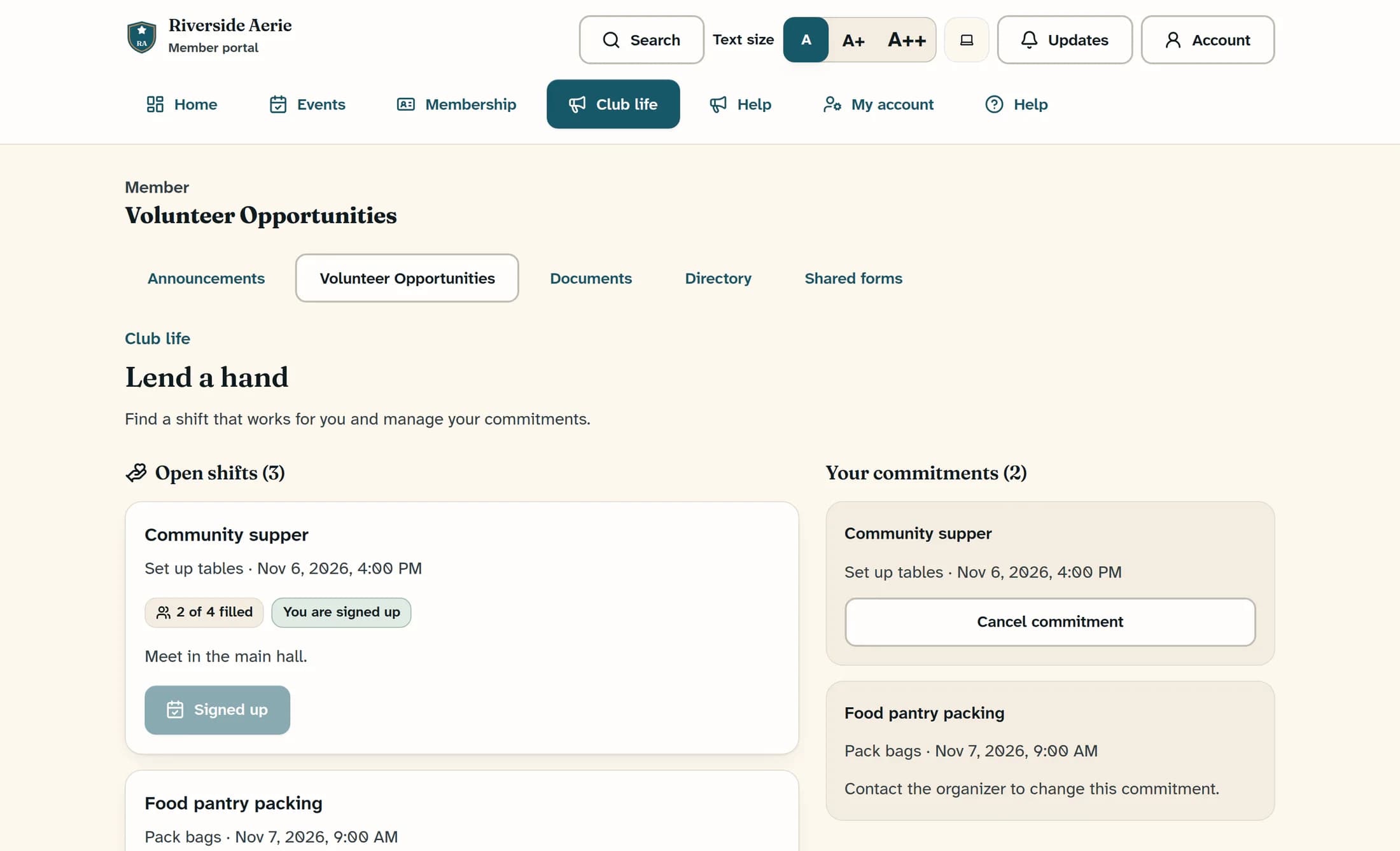
Open Club life, then Volunteer Opportunities. On Lend a hand, find the shift under Your commitments and check its role and time. Select Cancel commitment on that commitment.
Step 2 of 3
Confirm the cancellation or keep your shift
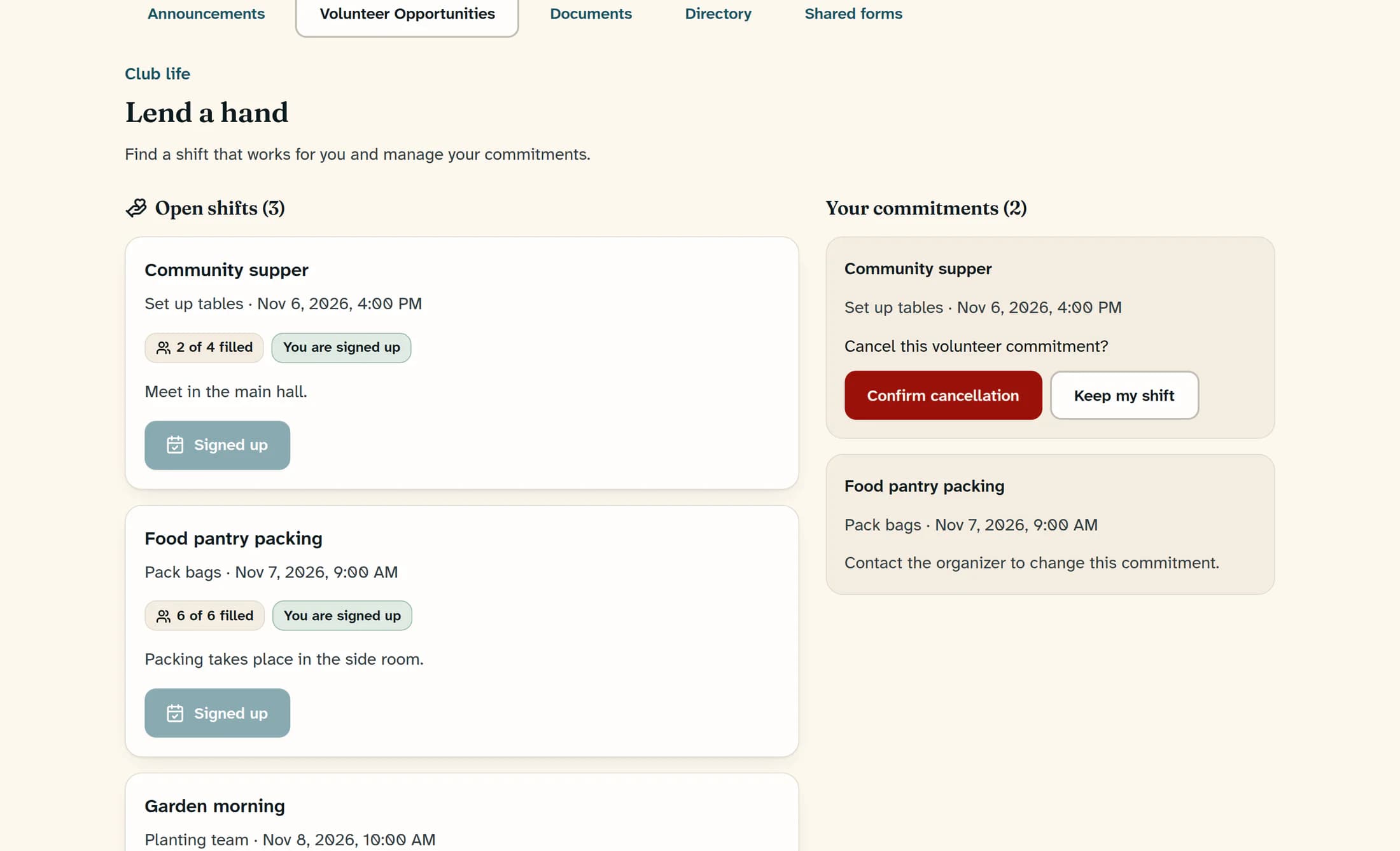
When Cancel this volunteer commitment? appears, select Confirm cancellation to send the request. If you want to stay signed up, select Keep my shift instead. Opening the confirmation alone does not cancel the signup.
Step 3 of 3
Recognize a completed cancellation
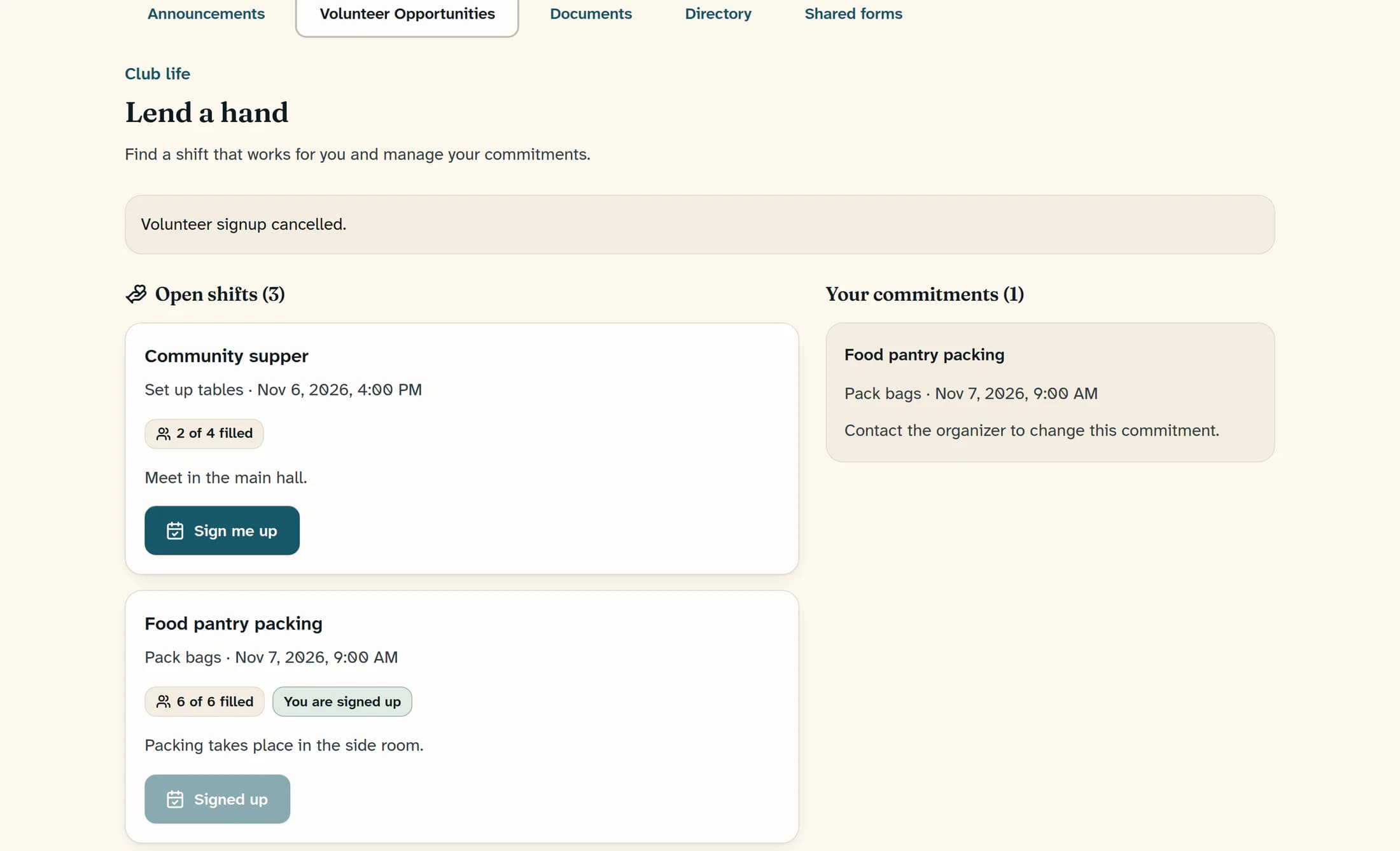
After the service confirms the change, Volunteer signup cancelled. appears and the selected shift is removed from Your commitments. Any other commitments remain listed. Wait for that result before assuming your cancellation is complete.
When the page directs you to the organizer
If the opportunity does not allow you to cancel your own signup, the commitment shows Contact the organizer to change this commitment. Use your usual contact route to reach the organizer; this message is guidance, not a contact button.
If the shift has already started
A commitment can remain visible until the shift ends, including its cancellation button. The service still refuses cancellation once the shift has started. Contact the organizer about a shift that is underway.
If the cancellation does not complete
Your commitment is updated
A successful cancellation removes that shift from your active commitments. For a different shift, see Sign up for a volunteer shift.
