
On this page
Before you start
Step 1 of 3
Find a shift that works for you
Open Club life, then Volunteer Opportunities. On Lend a hand, review Open shifts for the role, date, time and any notes. Check the filled and needed counts shown on the shift before choosing it.
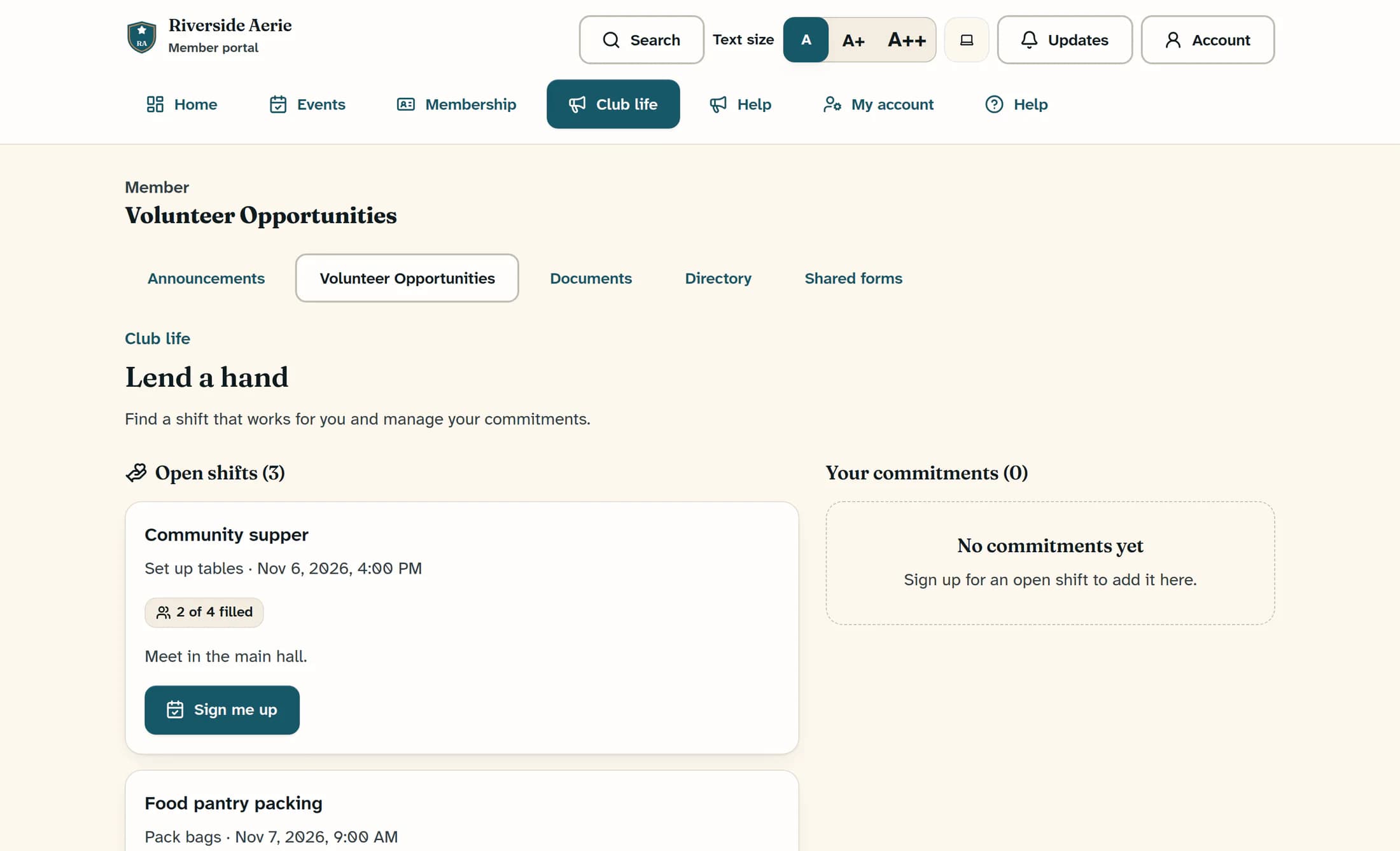
Step 2 of 3
Sign up for your chosen shift
Select Sign me up on the shift you want. Wait while the request is saving; the signup controls are unavailable during that request. Your place is not confirmed until the save succeeds.
Step 3 of 3
Recognize your saved signup
After a successful save, Volunteer shift signup saved. appears and the shift shows You are signed up. Its button changes to Signed up, and Your commitments includes the matching role and time.
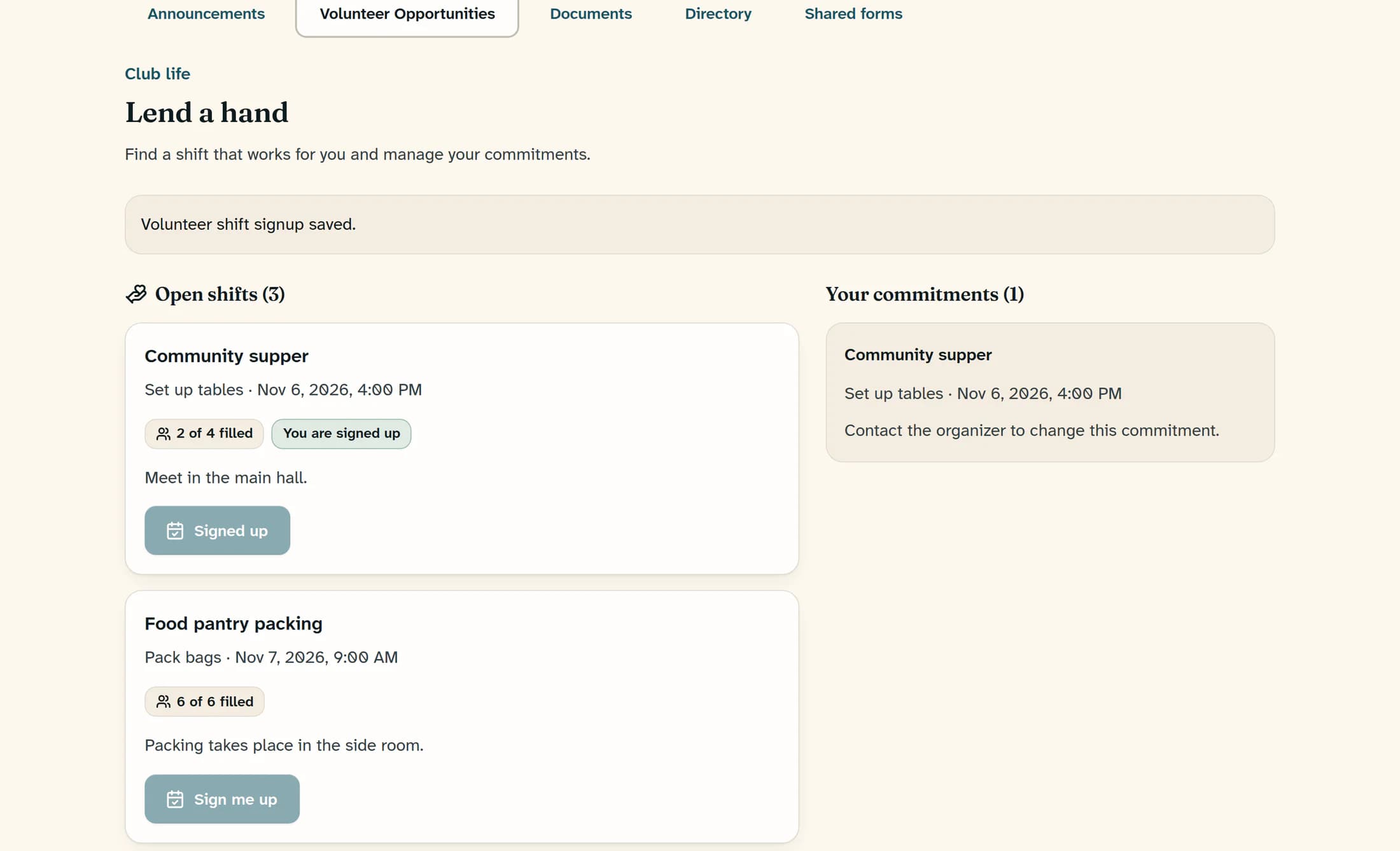
Filled counts may not refresh immediately after your signup. Use the saved message, signed-up state and your commitment to confirm your own place.
Why a visible shift may not accept a signup
The service checks that the shift is still open for signup, has not started, is within its signup deadline and has space, and that your account is eligible and not already signed up. A shift may remain visible after its deadline, or availability may change while you are looking at it. Contact the organizer if your signup is rejected.
If you cannot sign up
You have a volunteer commitment
Your saved shift appears in your commitments with its role and time. Keep those details handy, and contact the organizer if you need help or your plans change.
