
On this page
- Before you start
- Find a shared club form
- Answer the club’s questions
- Check that your response was received
- If delivery could not be confirmed
- Send feedback about ClubWorks
- Choose the kind of feedback
- Look for the feedback confirmation
- Feedback and support conversations are separate
- If a form or feedback is unavailable
- Summary
Before you start
Step 1 of 4
Find a shared club form
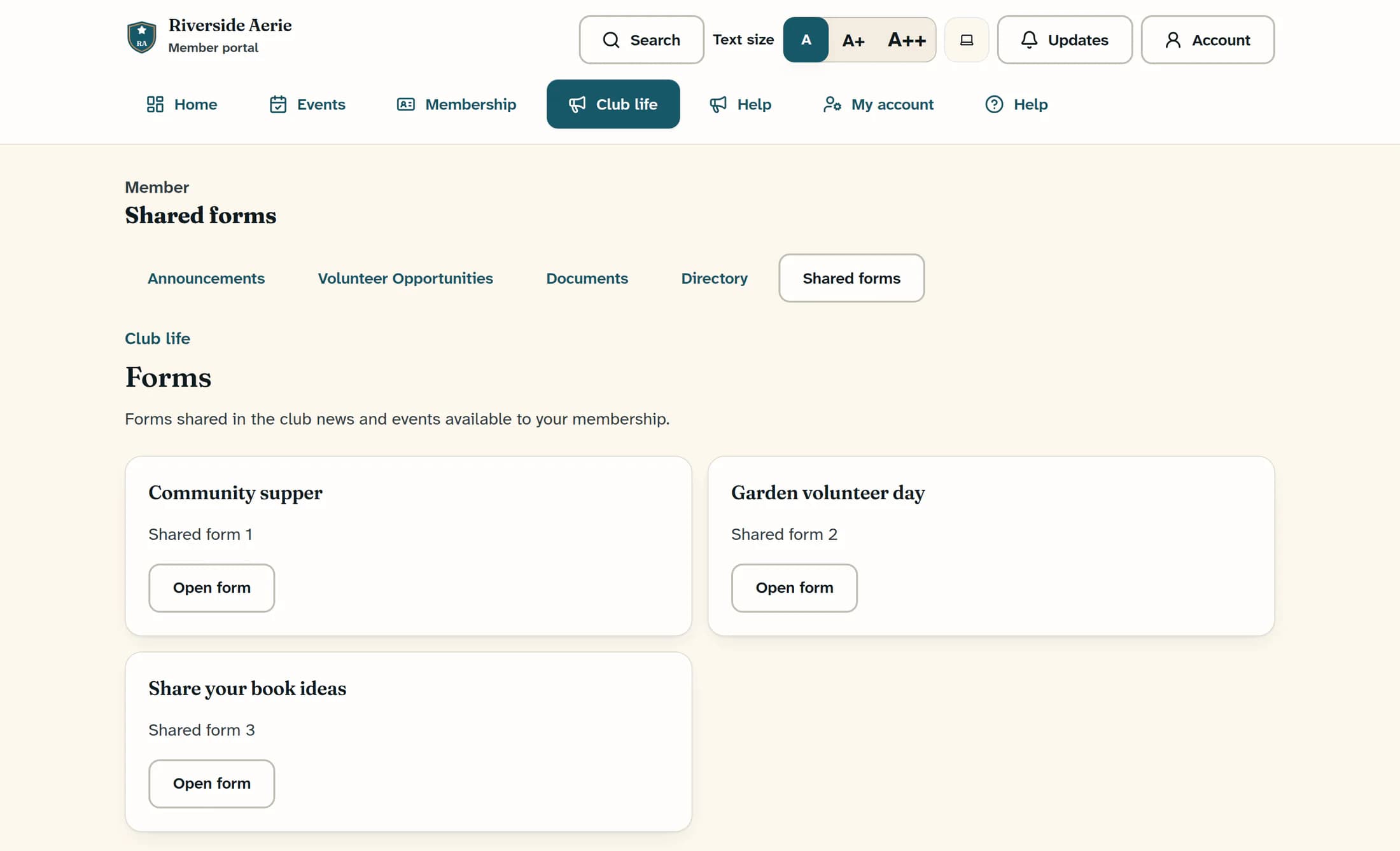
Open Club life, then Shared forms to reach the Forms page. Choose Open form under the news or event title associated with the form you need. Forms may also appear within the news or event where your club shared them.
Step 2 of 4
Answer the club’s questions
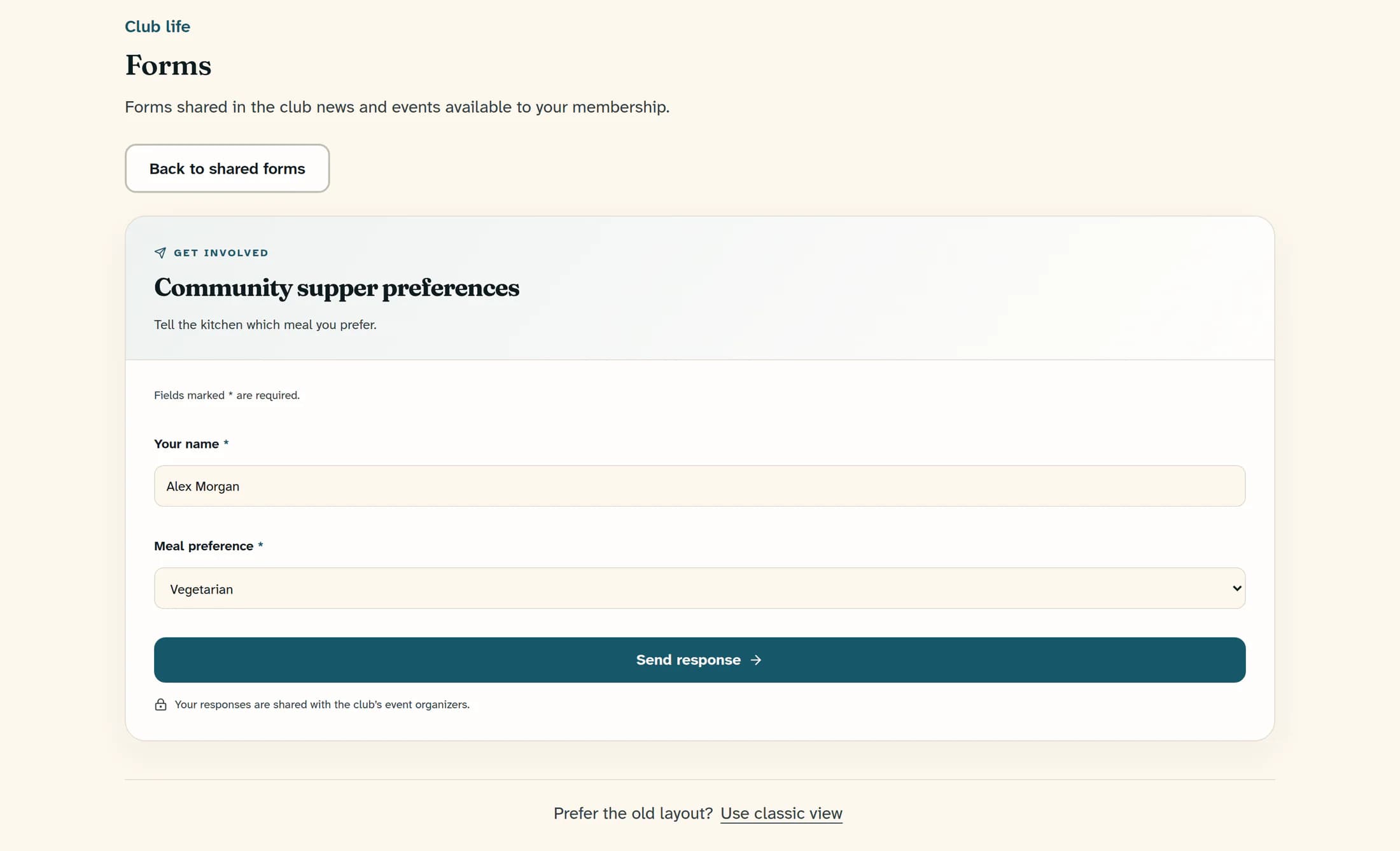
Read the form title, instructions and any closing date, then complete the questions marked with an asterisk (*). Check your answers and choose the form’s submit button, such as Send response; its wording and the questions are set by your club. If the form highlights a question, correct the answer and submit again.
Step 3 of 4
Check that your response was received
Wait for You’re all set. and Your response has been received., along with the club’s confirmation message. Choose Back to shared forms when you have finished.
If delivery could not be confirmed
If Retry safely appears, stay on that form and use it to check and send the same response. Your answers are held and temporarily locked; this same-page retry uses the existing submission attempt to avoid a duplicate. Reloading, leaving the form or opening a new copy starts a separate attempt, so ask your club before submitting a fresh copy if you are unsure whether the first arrived.
Step 4 of 4
Send feedback about ClubWorks
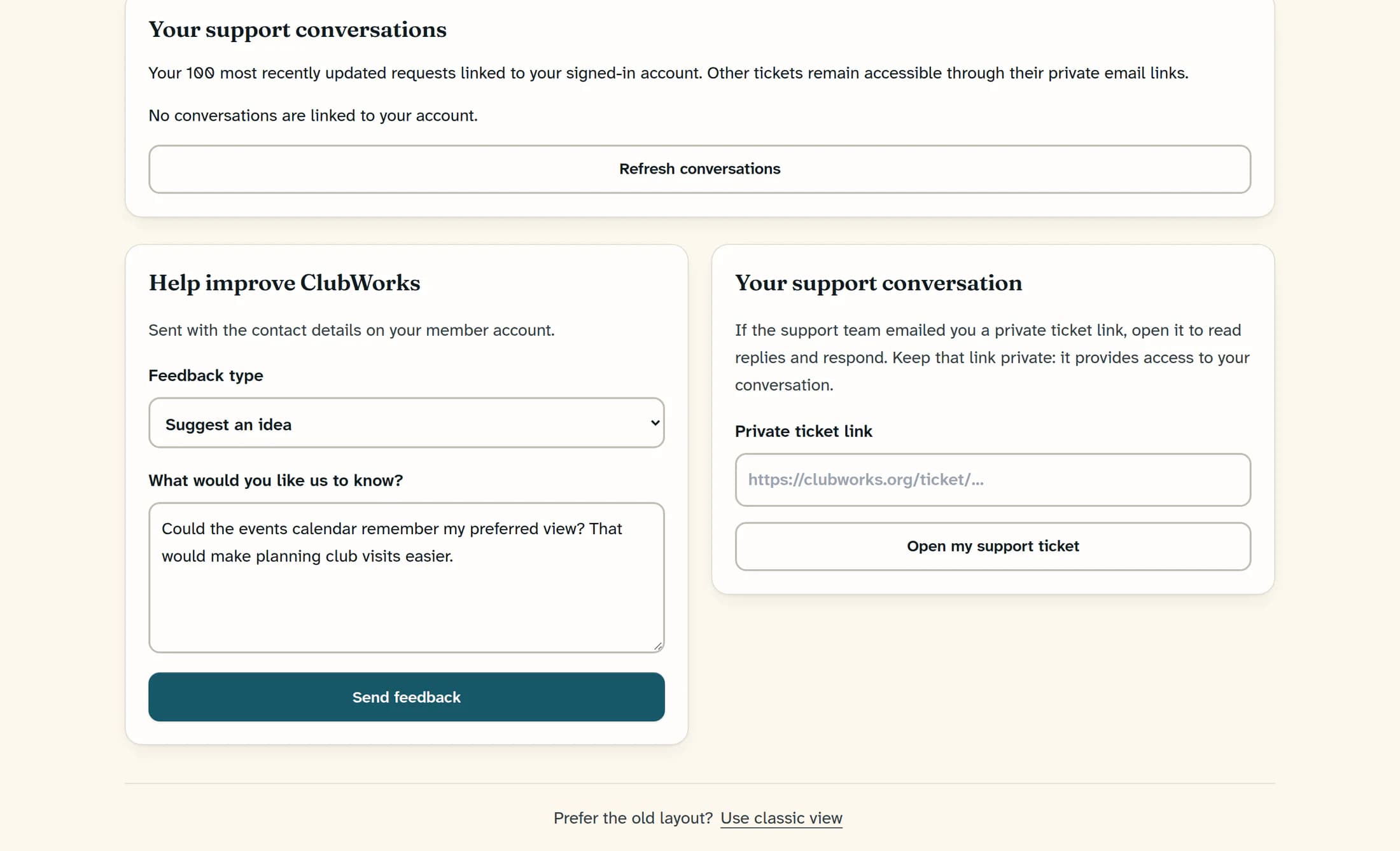
Open Help to reach Feedback and support, then find Help improve ClubWorks. Choose a Feedback type, enter 5–5,000 characters in What would you like us to know?, then choose Send feedback. The message is sent with the contact details on your member account.
Choose the kind of feedback
- Report a problem — describe what happened and what you expected.
- Suggest an idea — explain a change that would help you.
- Ask a question, Share something good or Other feedback — choose the closest match.
Look for the feedback confirmation
Feedback sent and Your feedback has been saved for review. confirm that the feedback was saved. If an error says it could not be confirmed, follow the message and do not assume it was received.
Feedback and support conversations are separate
Sending product feedback does not itself open a support conversation or guarantee a message to your club office. The support conversations and private ticket-link area on this page are separate; keep any private ticket link confidential. For a question about a club form or your membership, contact your club.
Summary
Use the club’s form for the response it asks for, and the ClubWorks feedback form for product feedback. In either workflow, look for the confirmation before treating your message as received.
