
On this page
Before you start
Step 1 of 6
Find the agreement
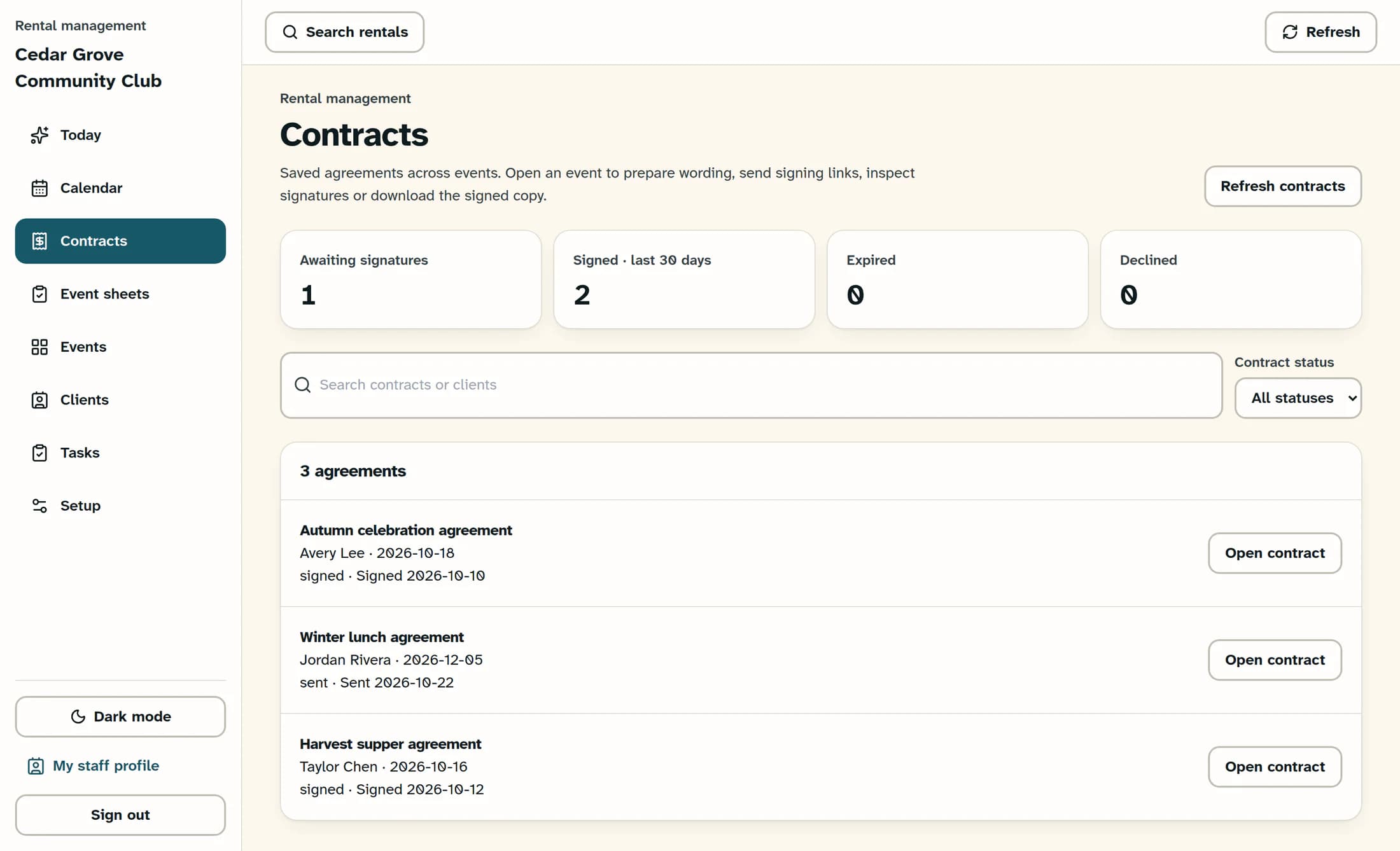
In Rental Management, select Contracts. Use Search contracts or clients to search an agreement title, client name or event name; use Contract status to narrow the list, or keep All statuses. The summary counts above the filters describe all loaded agreements, even when your list is filtered.
Step 2 of 6
Open the event's contract
Check the client and event date on the matching row, then select Open contract. This opens that event's Contract tab. If the agreement is missing from the register, Refresh contracts reloads it.
Step 3 of 6
Read the signing progress
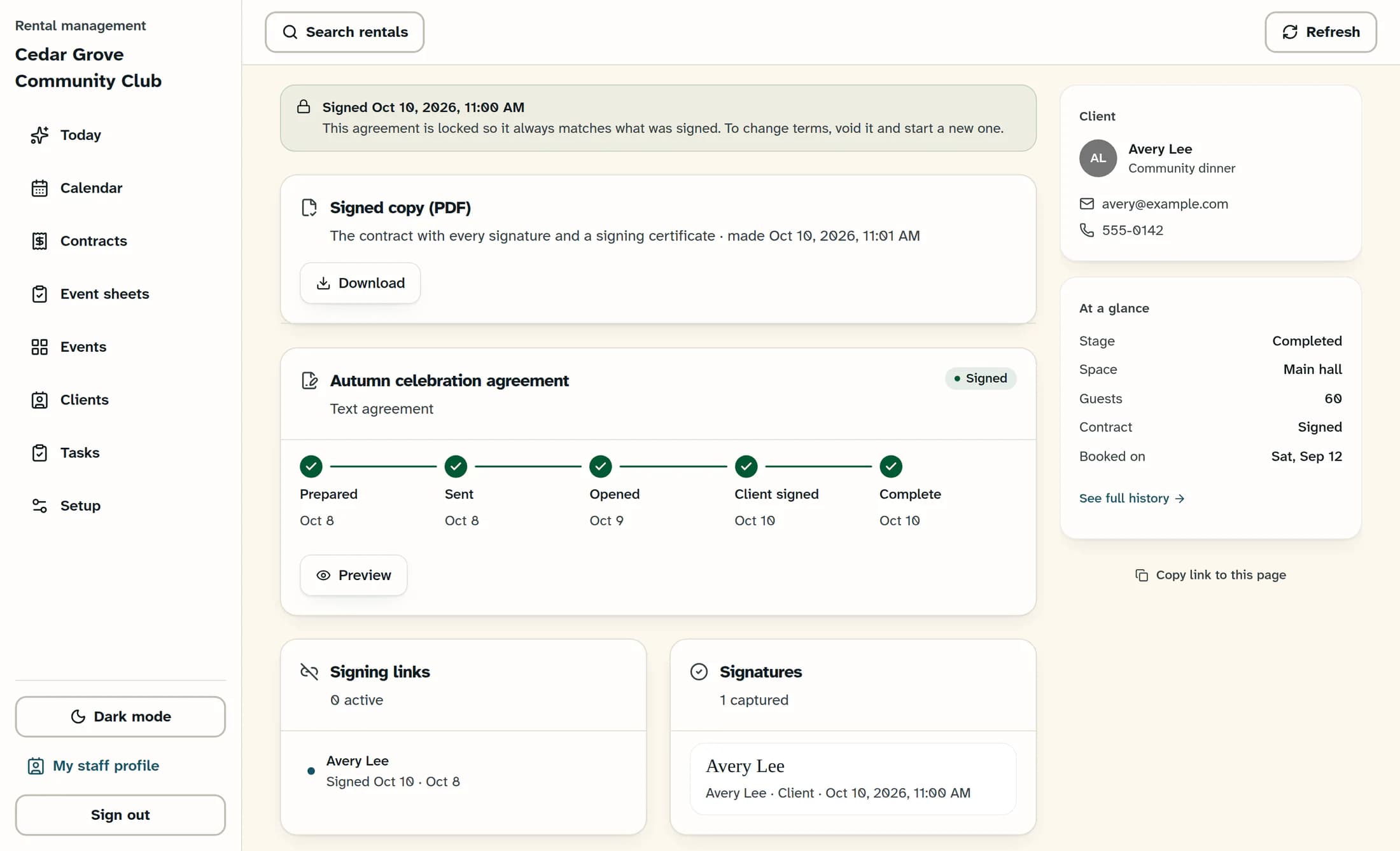
Review the status and timeline: Prepared, Sent, Opened, Client signed, and Complete. Venue signed appears when the agreement requires a venue signature; an opened link or a client signature alone does not prove that all required signing is complete. A signed agreement is locked so its wording continues to match what was signed.
Step 4 of 6
Check who signed
Look at Signatures for each captured name, client or venue role, and signing time. Compare those records with the timeline; Signing links shows the separate link history. A link being active or opened is different from a captured signature.
Step 5 of 6
Open the signed PDF
When Signed copy (PDF) is available, select Download. It opens the stored contract with its signatures and signing certificate, usually in a new browser tab. Check the agreement and signer details before using the copy; the browser's PDF controls determine how you save it.
Step 6 of 6
If the signed copy is missing
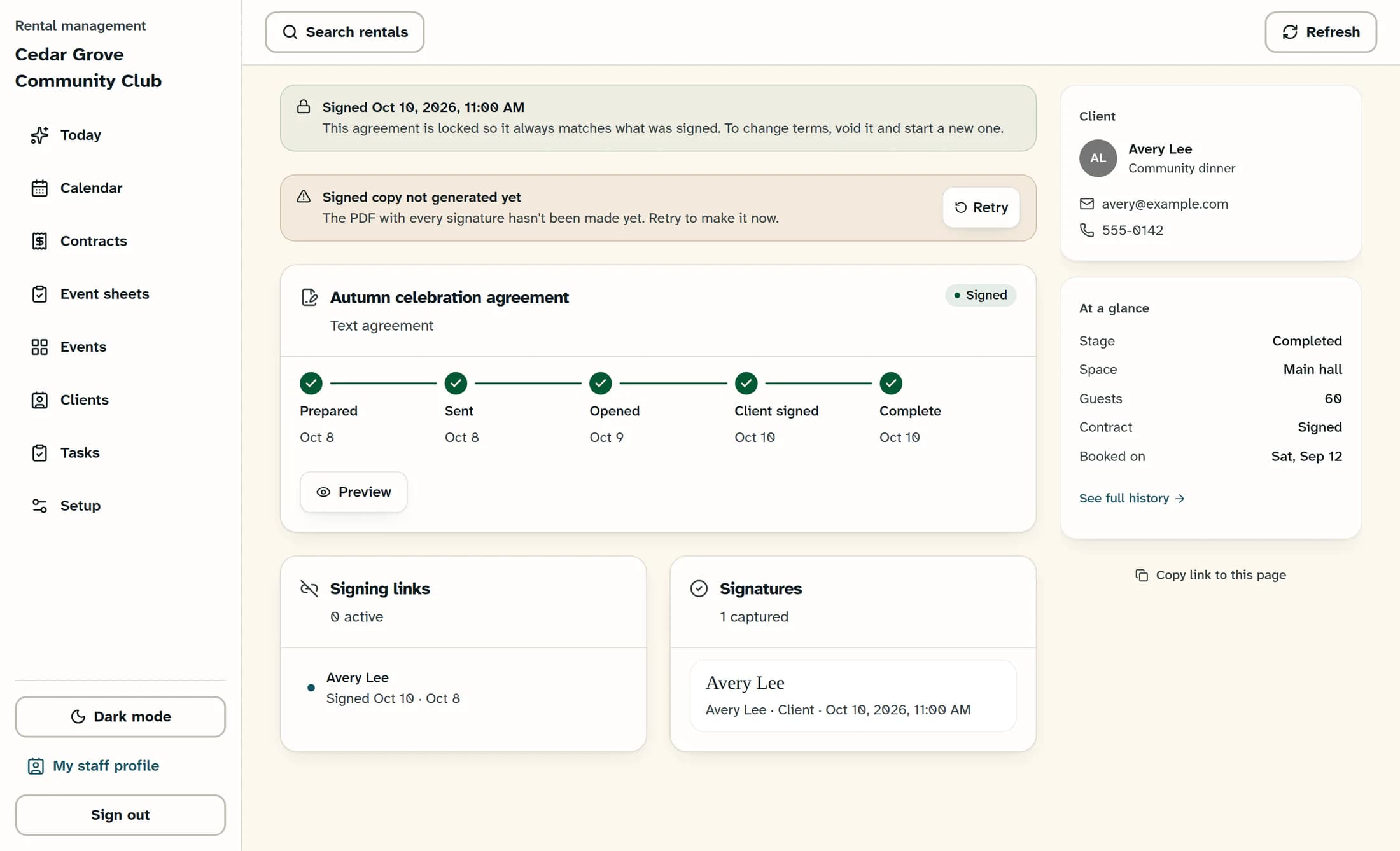
If you see Signed copy not generated yet, Retry asks ClubWorks to generate and store the PDF and record the activity. Select Retry once when you need that copy; if it is already being made, wait about a minute before checking again. After Signed copy made, use Download; if an error remains, keep its message and ask your club administrator for help.
Agreements signed on paper
A recorded paper agreement can show Signed on paper with Open the recorded signed document instead of the generated-PDF card. That link opens the document recorded for the agreement; it is a different path from generating a PDF from electronic signatures.
What you have checked
You have reviewed the contract's status, compared the captured signatures, and found the available signed document. These checks do not send the agreement or change its signing status.
About these illustrations
The illustrations are source-based reconstructions using fictional club, event and signer information, checked against the application source. They do not verify a live signing, download or PDF-generation workflow.
