
On this page
Who can do this and before you start
Step 1 of 4
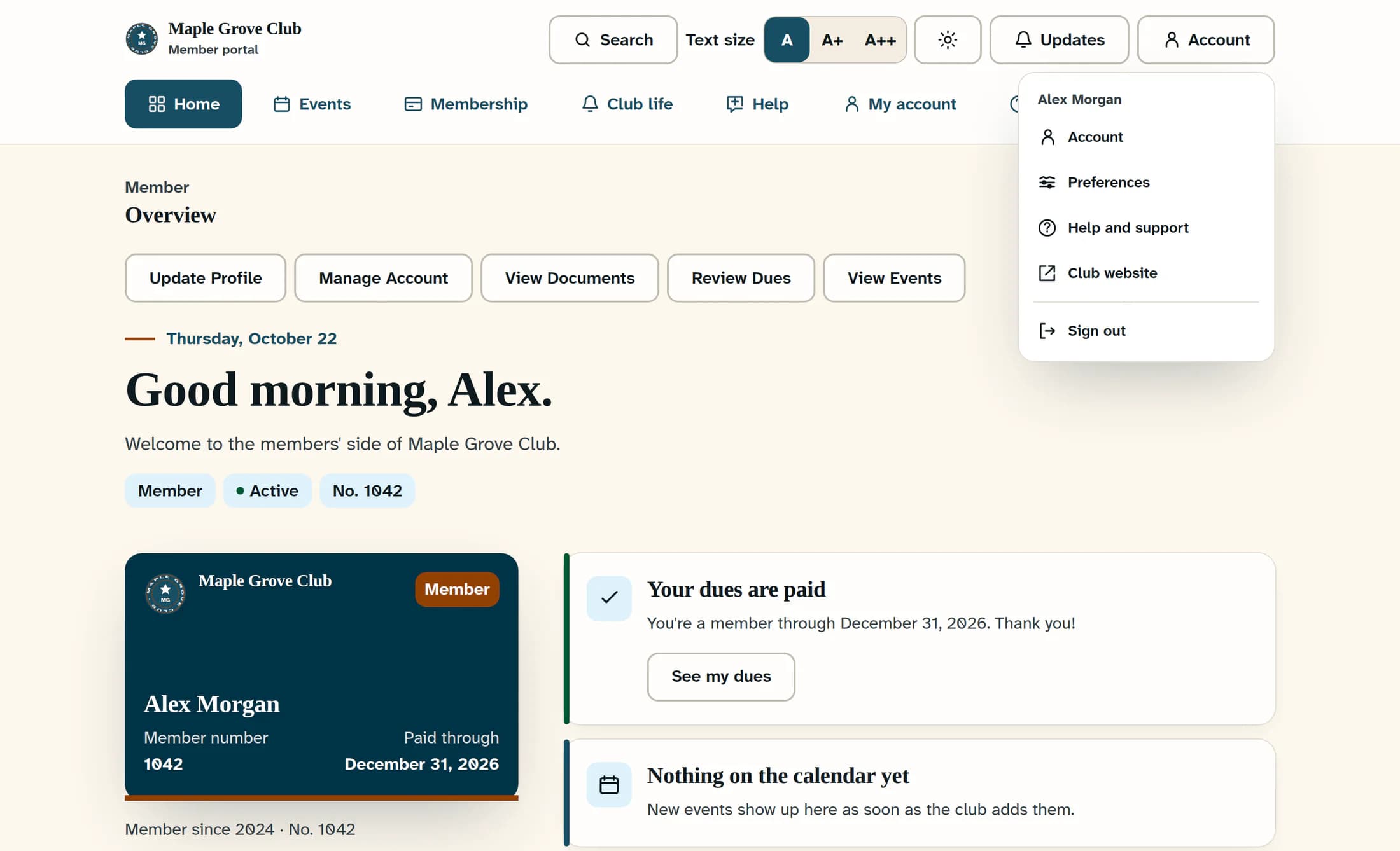
Open your account menu
In the member portal, click Account in the header. On the club website, open the account menu showing your name or a person icon.
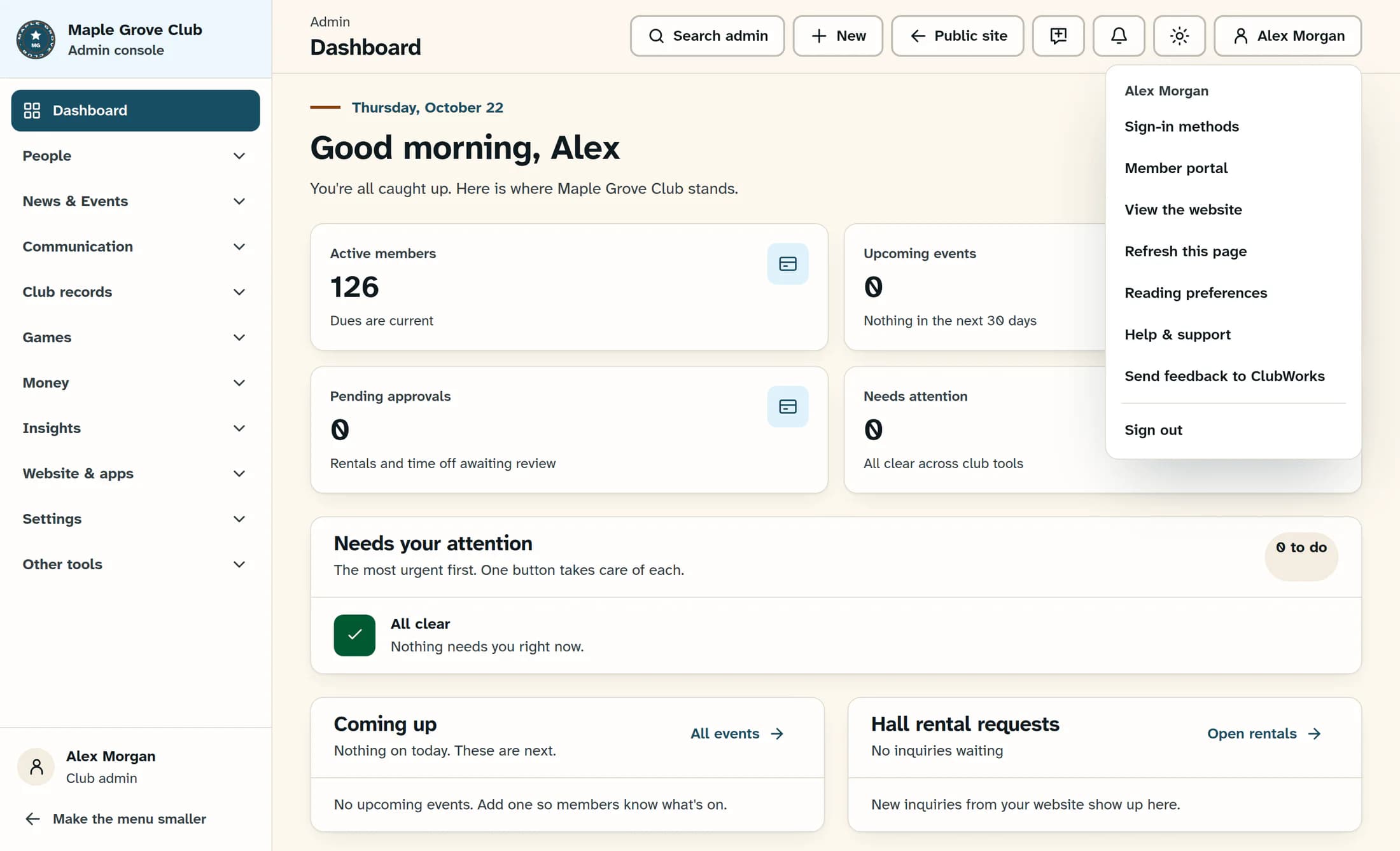
If you are in club admin
Open the Your account menu at the top right, shown as your name or a person icon. Use this menu for the next step.
Step 2 of 4
Choose Sign out
Click Sign out in your account menu. In the classic account menu, the label is Sign Out.
Step 3 of 4
Wait for sign-out to finish
Stay on the page while sign-out is in progress. In the member portal, Signing out means the process is still running; wait for the sign-in page or follow the retry guidance below.
What happens when sign-out finishes
- Member portal: the browser opens the sign-in page.
- Club website: the browser returns to the club homepage and your signed-in account menu is replaced by a sign-in option.
- Club admin: the management screen is replaced by a sign-in screen, such as Sign in to manage the club. A message about unconfirmed website sign-out still needs attention.
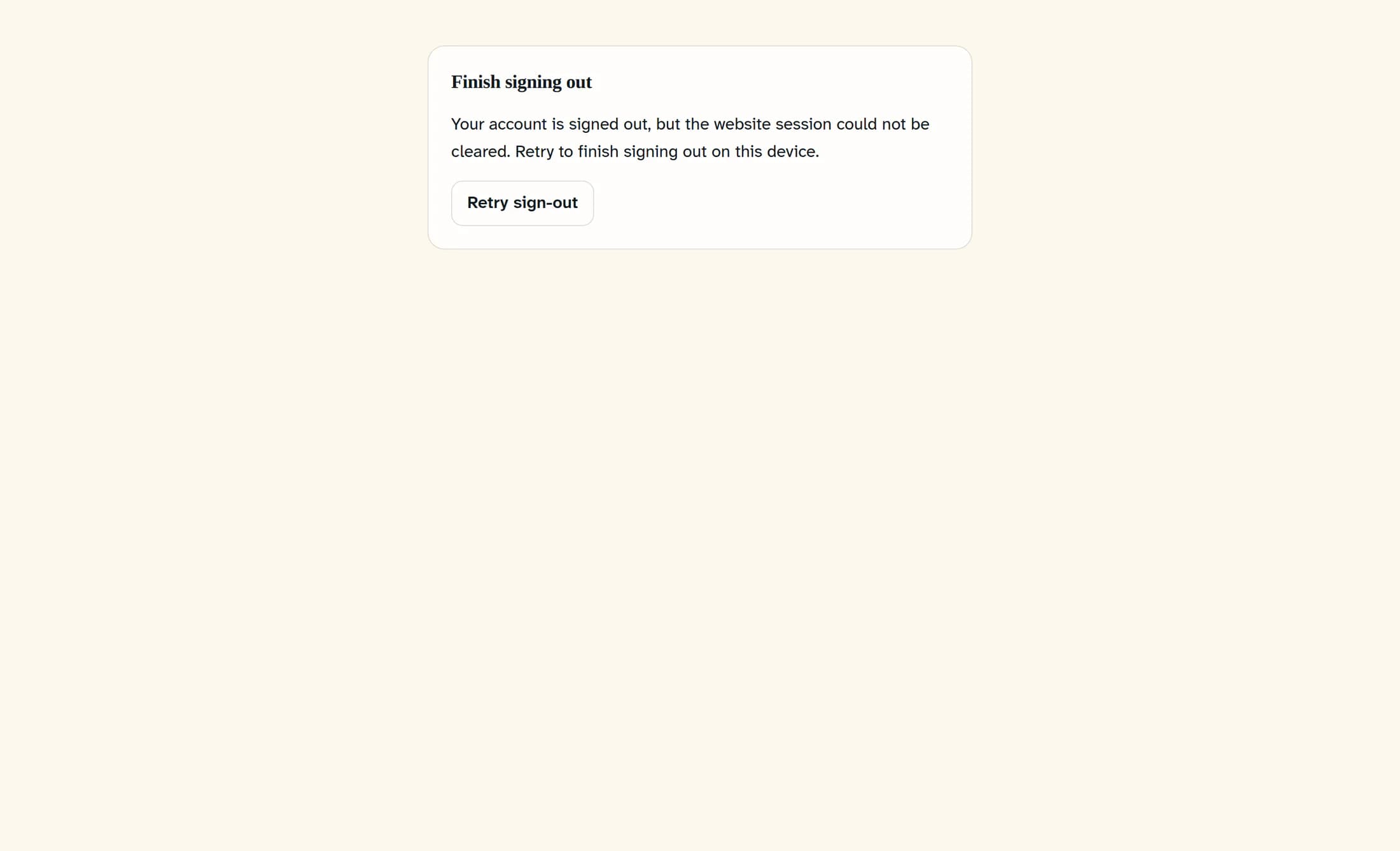
If you see Finish signing out
Click Retry sign-out and wait for it to finish. The message may say your account is signed out while the website session still needs clearing; this means sign-out on this device is incomplete.
Other sign-out messages
Step 4 of 4
Check before leaving the computer
Confirm that sign-out has finished with no pending or retry message. If another ClubWorks tab is open, reload it to check that private member or admin information is no longer available without signing in.
You are finished when
Your signed-in screens are no longer accessible and no sign-out warning remains. Complete the separate checks for downloads, saved passwords and other accounts before leaving the shared computer.
About this guide
Web browser guidance checked against ClubWorks release 16782cba, October 21, 2026. Illustrations are reconstructed from source with fictional club and account details; they are not captures of a completed live sign-out. Club branding and menu options may vary.
The screens in this guide show example clubs and people. Your club's name, colours and some labels may look different.
